
This can happen when a buyer registers under the wrong account or needs to be reassigned due to duplicate customer records. The fix involves removing the user from the incorrect account and re-adding them under the correct one.
» How to move a website user to the correct account
- Log in to the WizOrder as an Admin
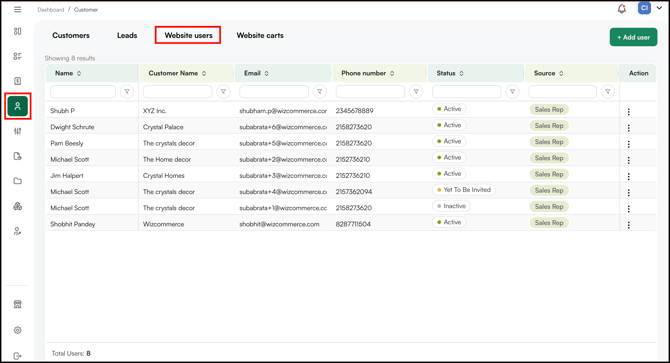
- Navigate to the website user table and locate to the user.
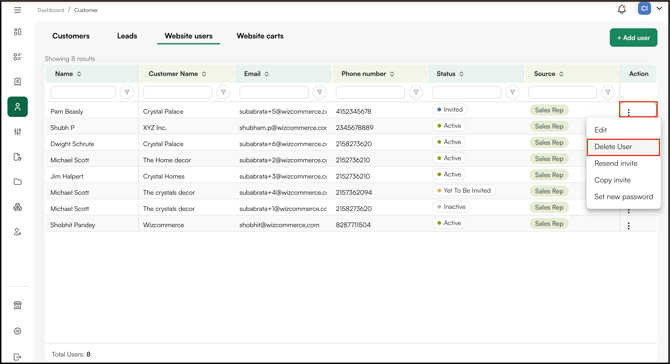
- Copy the buyer details and email address, then delete the website user for the Action Menu
- There are two ways to add to add a new user
- From the Website User Page
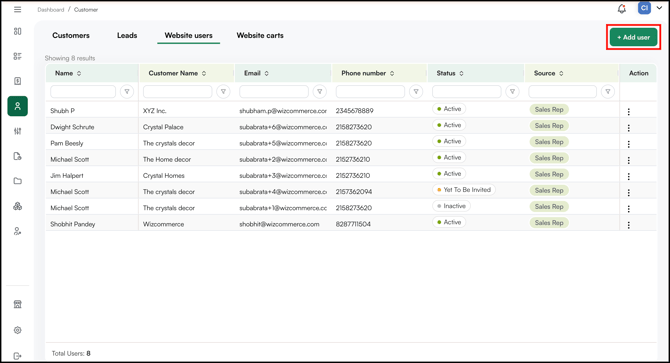
- Click +Add User on the Website Users page
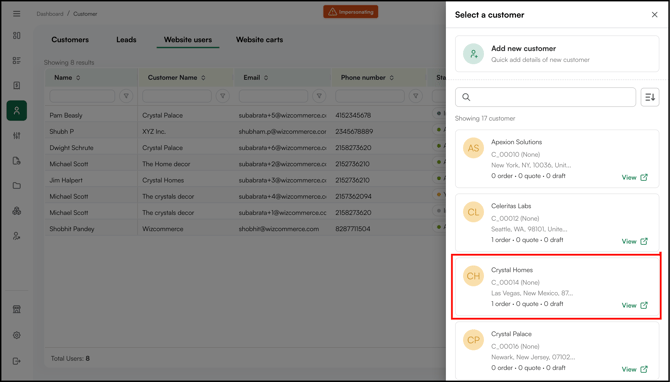
- Select the customer
- Fill in the required details, choose whether to send an invite email to the user, and click Save.
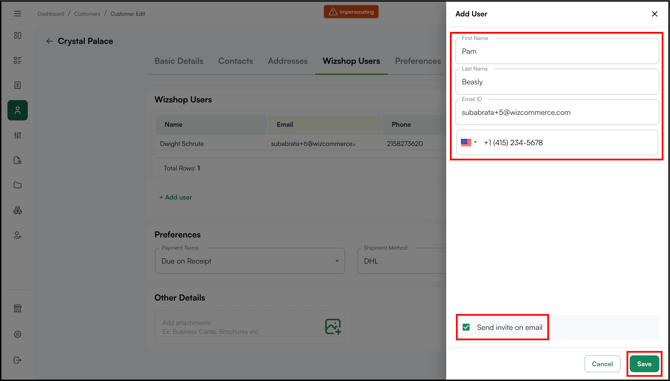
- Click +Add User on the Website Users page
- From the Customer Details Page
- Open the customer's details page, cick Edit.
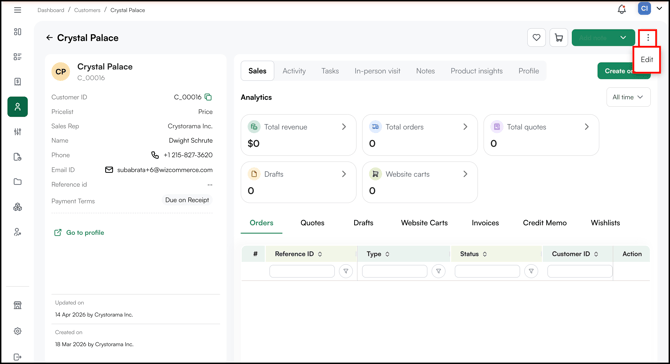
- Scroll to the WizShop User section in the customer form, click Add User, fill in the required details, and click Save.
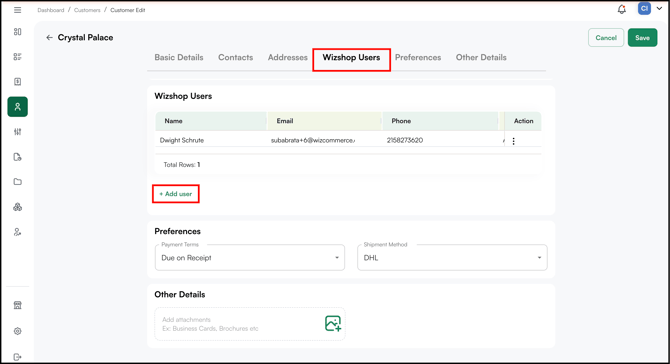
- Open the customer's details page, cick Edit.
- From the Website User Page
- The user will receive the login credential on the submitted email address.
Note: On the mobile app, you can only add a WizShop user from the customer details page. The Website Users page is available on the web portal only.
» Important things to know
-
If the email address already exists in the system even if the user was previously deactivated, their email may still be registered in the system and prevent you from re-adding them directly. If this happens, contact help@wizcommerce.com and our team will fully remove the old record so you can proceed.
-
Deleting an invite does not delete the customer account removing a website user only removes their access. It does not affect the customer account or any orders placed under it.
-
If the user keeps reappearing under the wrong account this can happen if your account is synced with QuickBooks Desktop and the old customer record still exists in QBD. If the inactive customer is still present in QuickBooks, it may get re-synced back into WizCommerce. In this case, remove the duplicate from QuickBooks as well, or contact our Support Team for help.
Still need help? Reach out to your Customer Success Manager or contact our Support Team.