
AI Expand extends a product image beyond its original crop, with AI filling in the surrounding space to match the existing scene. This article covers how to change the aspect ratio of an image and use expand to adapt content for banners, social posts, and catalog layouts.
Platform: WizStudio | Who is this for: Designer
To Get There: WizStudio > AI Expand
Table of Contents
| Section | Topics |
| A | Expand Your Image |
| B | Review and Use Your Expanded Image |
| C | FAQs |
Before You Begin
- You must have access to WizStudio
- Have the product image you want to expand ready to upload or open
- Know the aspect ratio you need before starting, for example, 1:1 for product listings or 3:4 for catalog pages
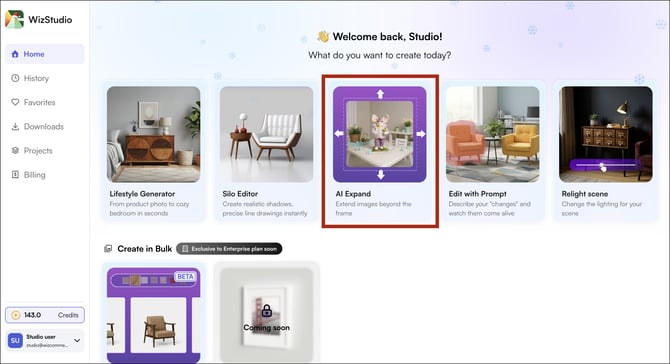
-
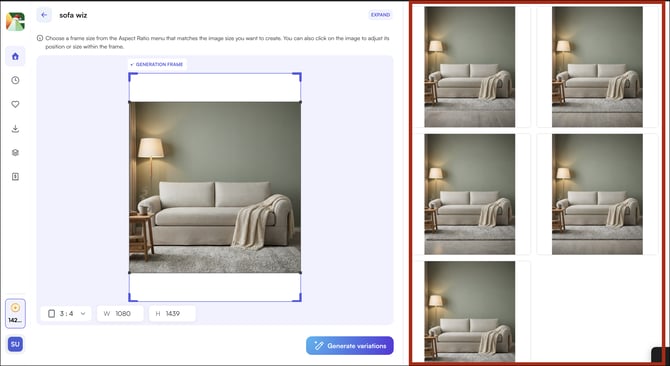
Upload or open your product image in AI Expand.
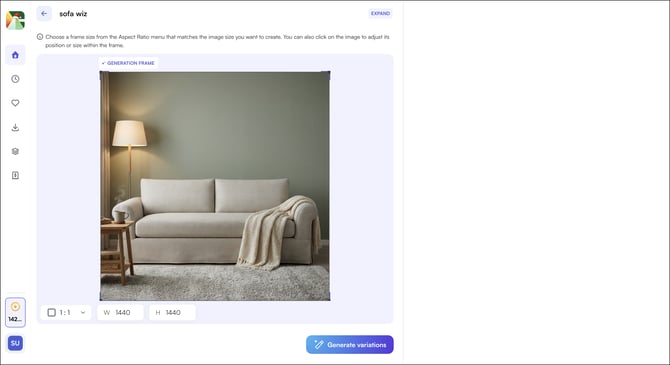
-
Select the new aspect ratio from the available options, for example, change from 1:1 to 3:4)
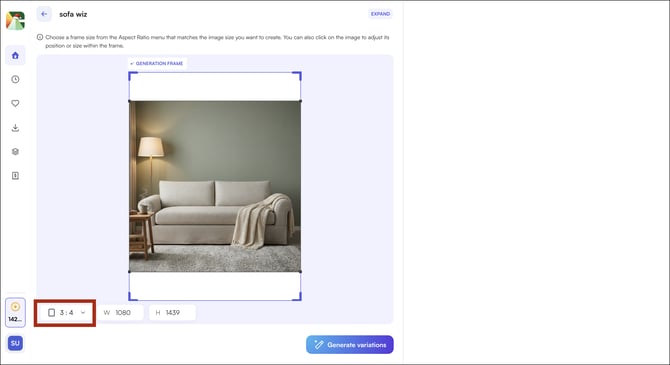
-
Click Generate Variations
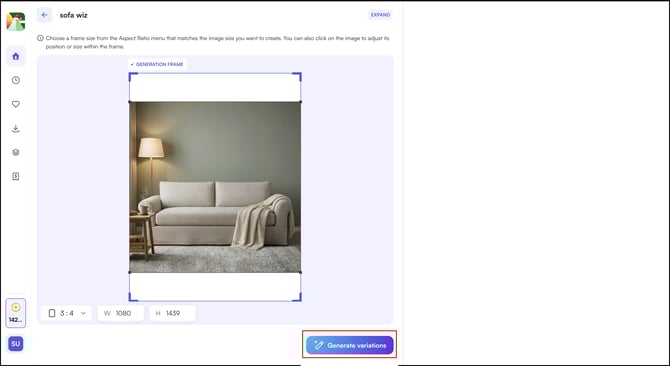
-
The process may take a few moments. Once complete, the generated variations will appear on the left panel.
B. Review and Use Your Expanded Image
Each variation extends the image frame and fills in the added space while keeping the product as the focal point.
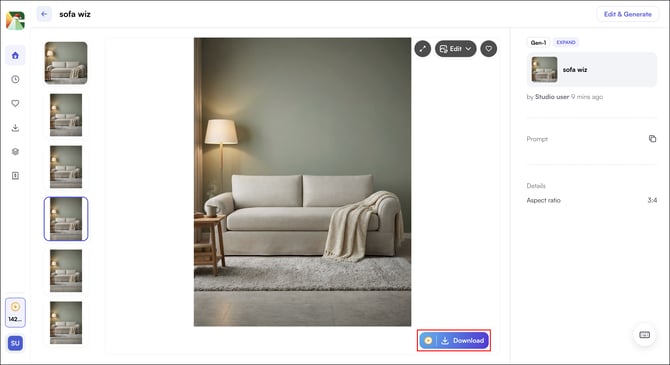
- Click any variation to view it at full size
- Click any variation to view, lifestyle editor to edit further, or download.
FAQs
1. Will the expanded areas match the style of my original image?
A. Yes. WizStudio analyzes the original image and fills in the extended areas to match its color, lighting, and visual style. The product remains the focal point throughout.
2. Can I expand an image to any aspect ratio I need?
A. You can select from the aspect ratio options available in AI Expand. If none of the generated variations match your intent, try a different ratio or open the result in the Lifestyle Generator to refine it further.
3. Can I edit the expanded image after generating it?
A. Yes. Click Lifestyle Generator after selecting a variation to continue editing, you can adjust the background, lighting, or apply prompt-based changes from there.
Not finding what you need? Browse the WizCommerce Help Center, reach out to your Customer Success Manager, or contact our Support Team.