
Upload up to 50 raw product images at once, and let the system automatically remove backgrounds, clean up reflections, straighten products, and apply consistent padding before you start editing.
Platform: WizStudio | Who is this for: Marketing & Catalog Teams
Before You Begin
- You must have access to WizStudio.
- Keep your raw product images ready in a single folder for upload.
- Uploads are not charged; you are only charged credits when you download images.
» Upload Images in a Bulk
- Open WizStudio and navigaye to Bulk Silo Editor.
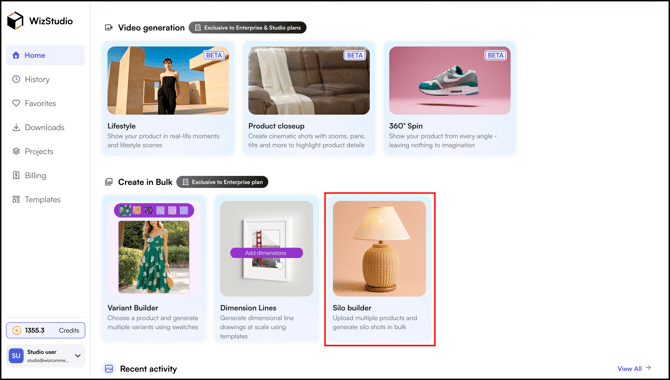
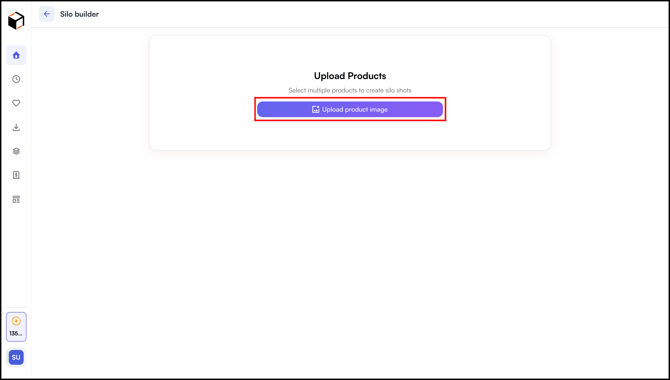
- Click Upload Images and select up to 50 product images from your computer in one batch.
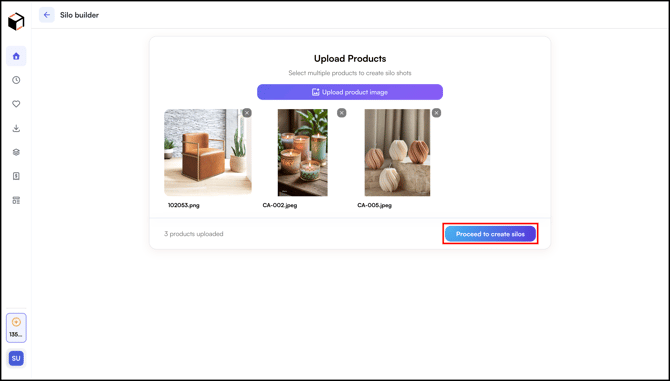
- Click Proceed to Create Silos after uploading the images.
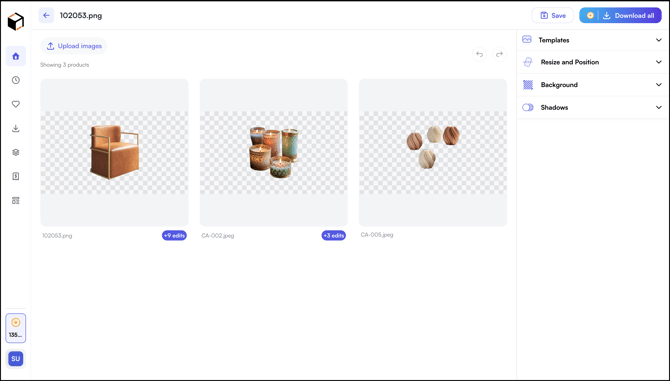
- The system automatically:
- Removes the background from each image
- Cleans up mirror reflections
- Straightens and aligns the product
- Applies consistent padding
- Wait for processing to complete. The processed images appear in the editor view, ready for bulk configuration.
Note: Uploads are not charged. You are only charged credits when you download the images.
» Related Article →
Still need help? Reach out to our support team at help@wizcommerce.com.