
Add your generation threads to a collection from History, Recent Activity, or Lifestyle Generator, or add many threads at once with bulk add.
Platform: WizStudio | Who is this for: WizStudio users
Before You Begin
- You can use an existing collection, or create a new one while adding a thread.
- Collections work at the product-thread level. You add whole generation threads, not individual images.
- You can add a thread to more than one collection.
» To Add Threads to a Collection
You can add your generation threads to a collection in several ways.
A. From the History section
- Go to History → Products tab.
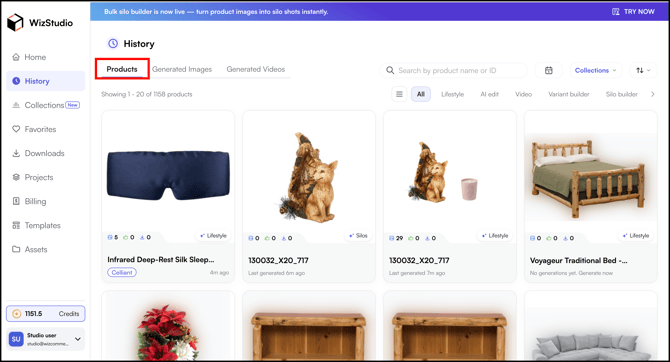
- Click the three-dot menu on the thread you want to add.
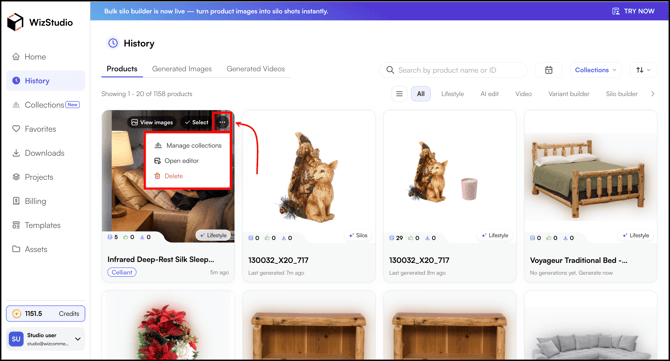
- Click Manage Collections.
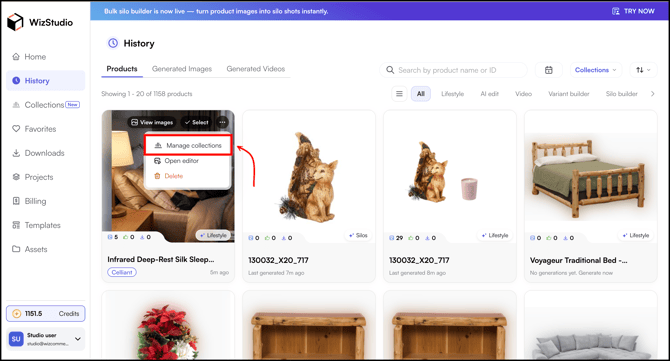
- Select the collection you want (or search for the collection).
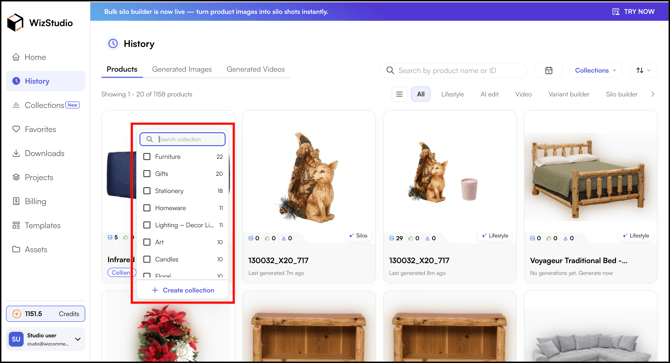
- Or click + Create Collection, enter the Collection Name, and click Save and Add to Collection.
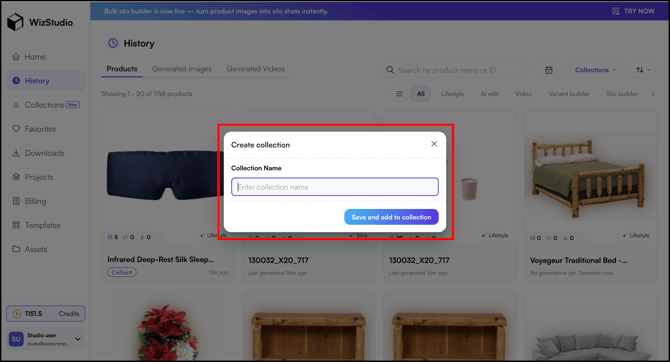
B. From Recent Activity
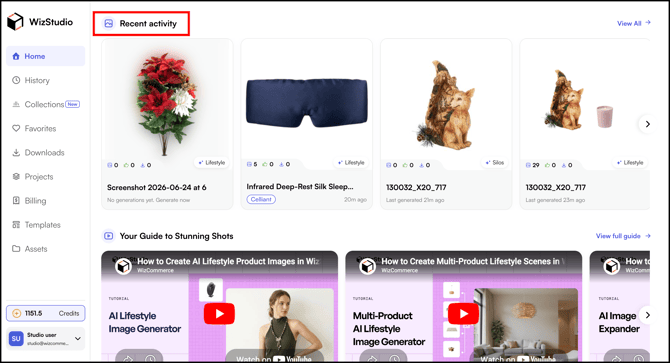
You can also add a thread to a collection directly from the Recent Activity section.
- Go to Home → Recent Activity (scroll a little bit).
- Click Manage Collections from the action menu.
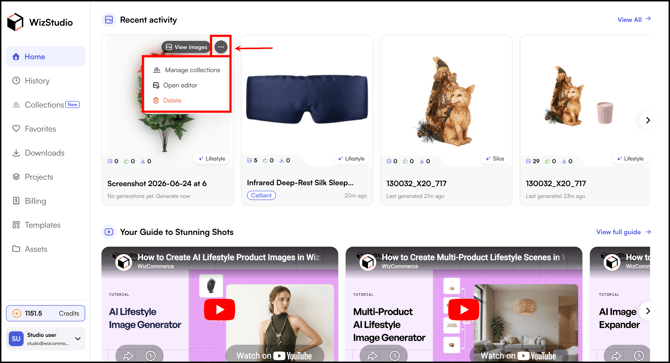
- Select the collection you want (or search for the collection).
- Or click + Create Collection, enter the Collection Name, and click Save and Add to Collection.
C. From Lifestyle Generator
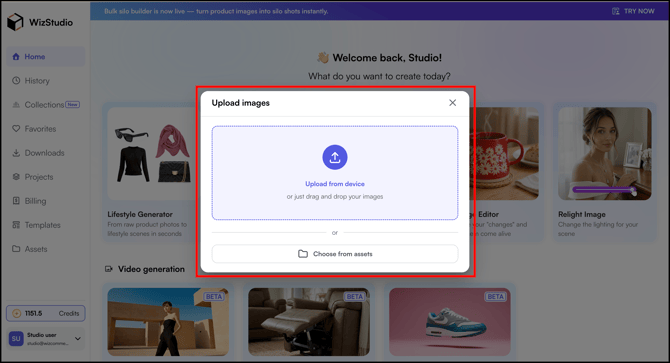
- Go to Home → Lifestyle Generator.
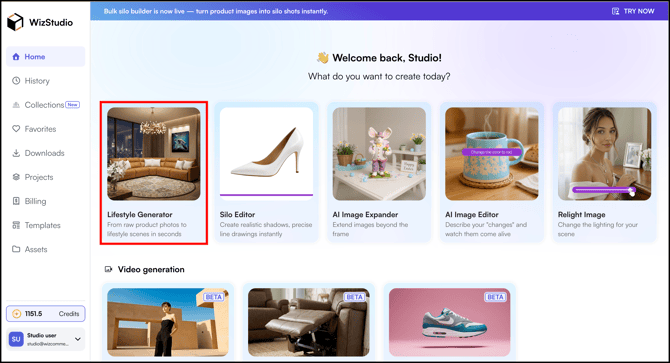
- Upload from Device or Choose from Assets.
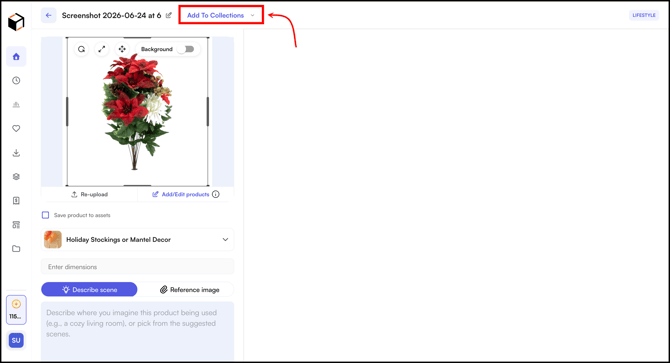
- Click Add to Collections.
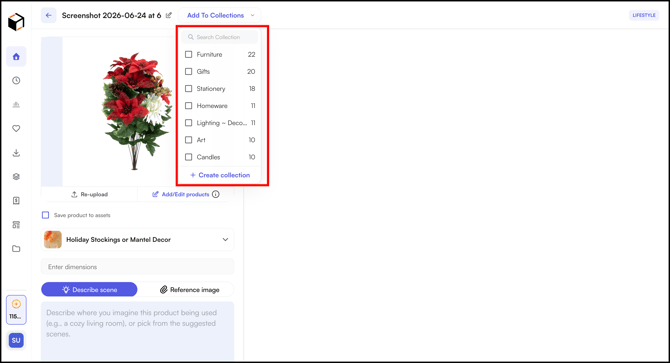
- Select an Existing One or Create a New Collection there.
- The collection chip appears on the thread, showing it has been added.
D. Bulk Add
If your History already has many generated threads, you can add them in bulk.
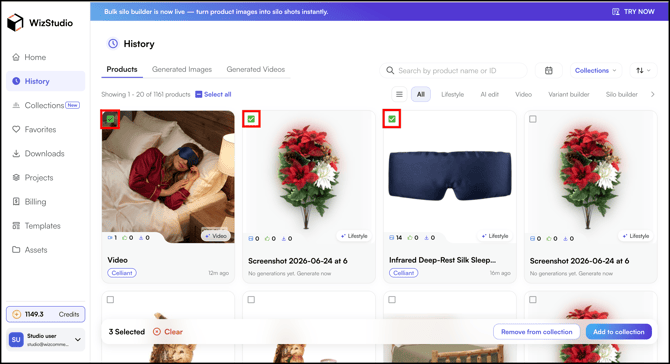
- Go to History → Products tab.
- In the History section, select all the threads you want to add.
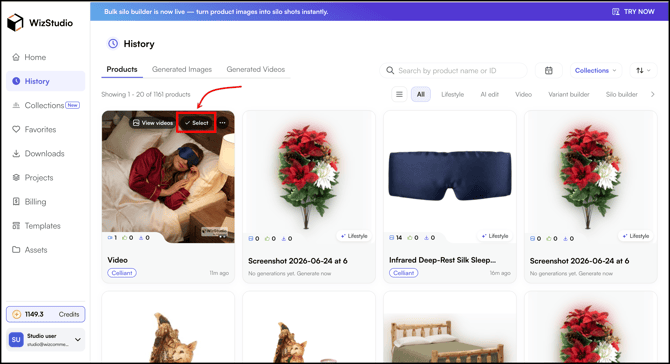
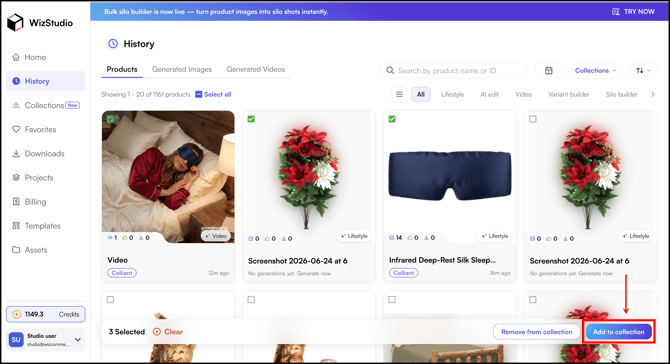
- Click Add to Collection.
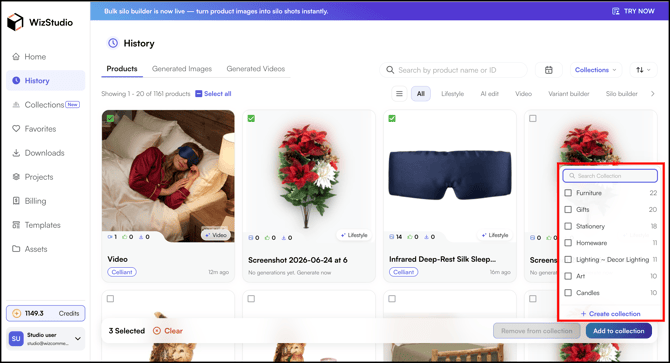
- Choose the collection and all selected threads are added at once.
» Related Articles →
- What is Collections?
- Create a Collection
- Work in a Collection (Focus Mode)
- Filter Across Collections
- FAQs: Collections
Still need help? Reach out to our support team at help@wizcommerce.com.