
Import/Export now supports exporting your website users as a separate entity, so you can pull a complete list of website user accounts for auditing, reporting, or bulk review outside the platform.
Platform: WizOrder | Who is this for: Admins, Operations & IT
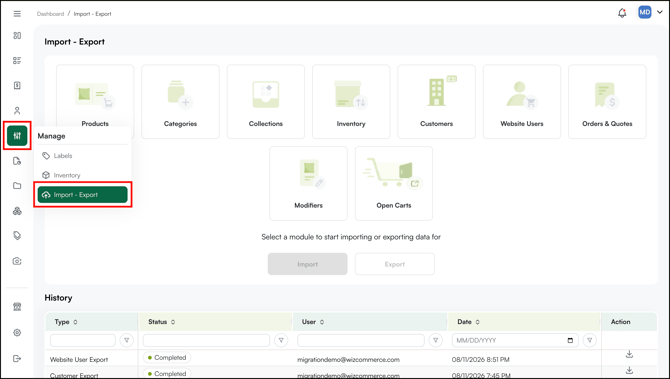
To Get There: Manage → Import/Export → Website Users
Before You Begin
- You need view access to the Website Users page to export data, no additional configuration is required to use this feature.
- Website user accounts are created automatically as users sign up, so there's nothing to set up before exporting.
- If you are exporting for the first time, review the Instructions and Sample sheets in the exported file before working with your data.
A. Export Your Website Users
Previously, Import/Export only let you export customer data. Website users now have their own dedicated export option, so you no longer need to work around this to get a list of individual user accounts.
- Go to Manage → Import/Export.
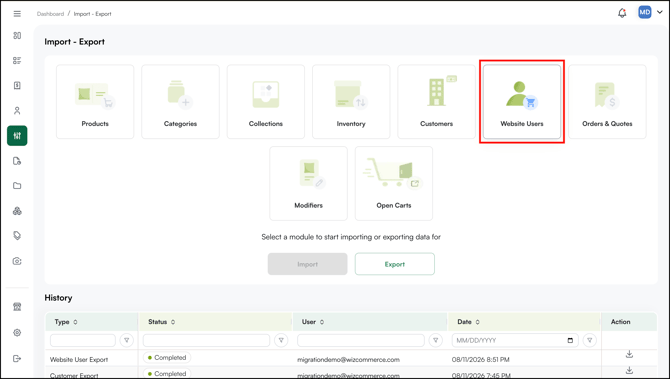
- Select the Website Users tab.
- Click Export.
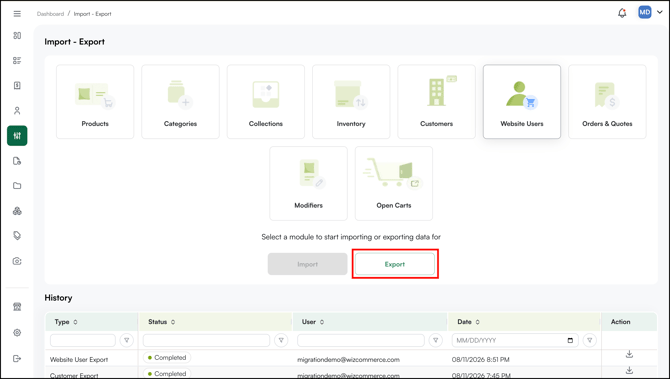
- The export starts immediately. You will get a notification confirming that the file is being generated.
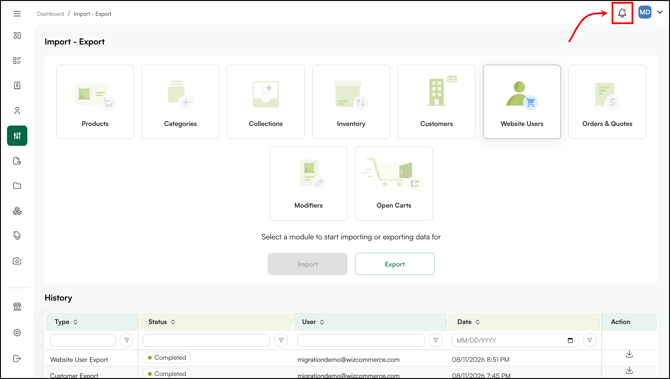
- The file will be available to download directly from the platform once it's ready.
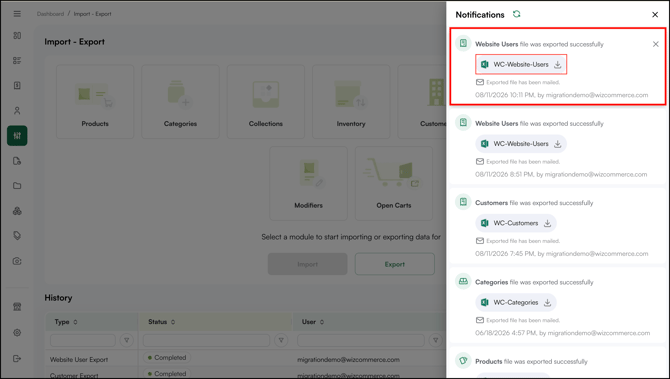
Note: This tab only supports exporting website users — import is not available here, since website user accounts are created automatically as users sign up.
B. Review the Exported File
- Open the downloaded Excel file.
- Import it into a new Google Sheet or open it directly in Excel.
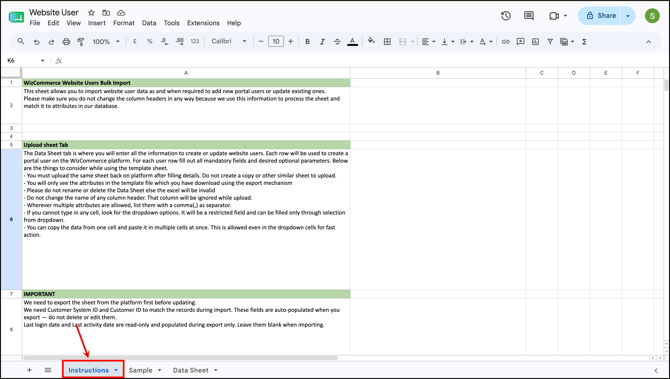
- Check the Instructions sheet. It explains exactly which fields and data are included in the export.
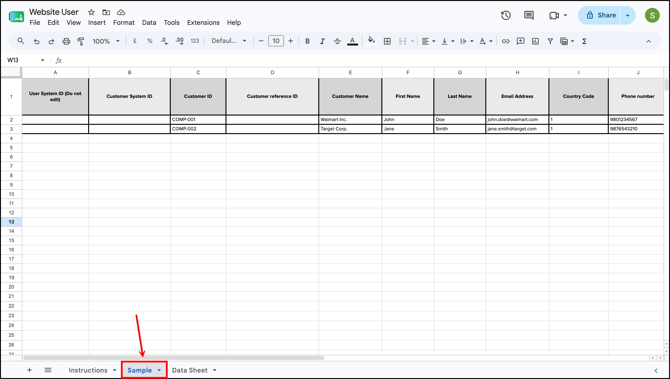
- Check the Sample sheet to preview how your exported data will appear before working with the full file.
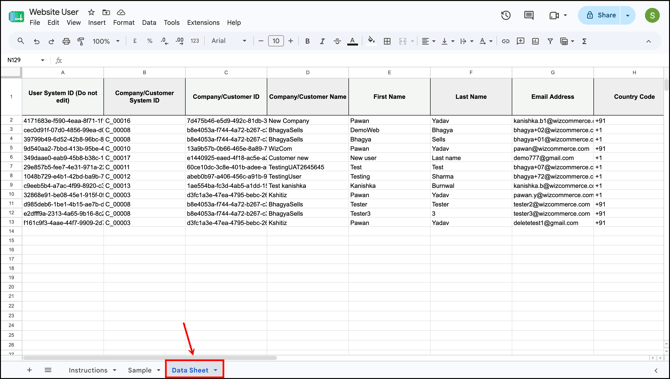
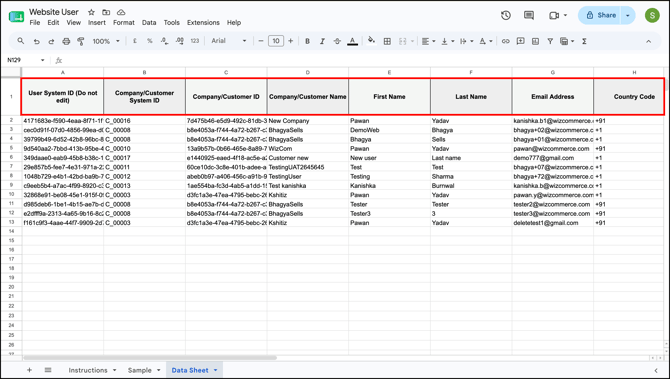
- Check the Data Sheet to preview the exported data.
C. What's Included in the File
The exported file includes the following fields for every website user:
- User System ID
- Company/Customer System ID
- Company and Customer ID
- First Name and Last Name
- Email Address
- Country Code
- Any information entered or assigned by a Sales Representative or Territory Manager
FAQs
1. What's the difference between exporting customers and exporting website users?
A. Customer export and website user export are now separate options under Import/Export. Customer export pulls your customer accounts; website user export pulls individual website user records, including system ID, company and customer ID, name, email, and any sales rep or territory manager assignments.
2. Can I import website users through this same tab?
A. No. The Website Users tab is export-only. Website user accounts are created as users sign up, so there's no corresponding import option.
3. Where do I find the exported file?
A. You will receive an email with the file once the export is ready, and it's also available to download directly from the Import/Export page.
4. How do I know which fields are included before I open the file?
A. Every exported file includes an Instructions sheet describing the fields and data covered, plus a Sample sheet showing what your data will look like.
Still need help? Reach out to our support team at help@wizcommerce.com.