
If you no longer want to continue on your current WizStudio plan, you can cancel it directly from the WizStudio platform; no need to contact support.
» To Cancel Subscription
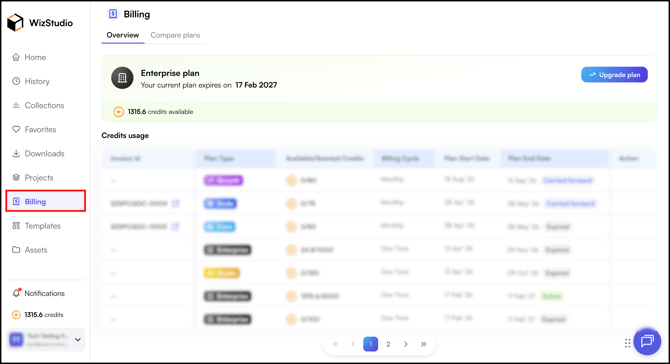
- Go to the Billing section of the WizStudio platform.
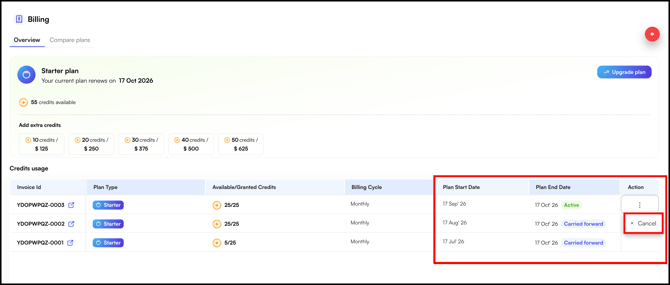
- In Overview, find your current plan.
- Click the three-dot menu (⋮) on the far right of the plan row.
- Click Cancel.
If you have questions about your specific plan or need help with the cancellation itself, contact our support team at help@wizcommerce.com.
» Good to Know
- After cancelling, you continue to have access for the rest of your current paid cycle.
- Any unused credits expire at the end of that billing period.
Still need help? Reach out to our support team at help@wizcommerce.com