
WizCommerce makes it easy to view every cart associated with a specific customer in one place. This is helpful when you want to track a customer's order activity, follow up on abandoned carts, or review what they've been working on with their sales rep.
» How to view all carts for a customer
- Log in to your WizOrder mobile app.
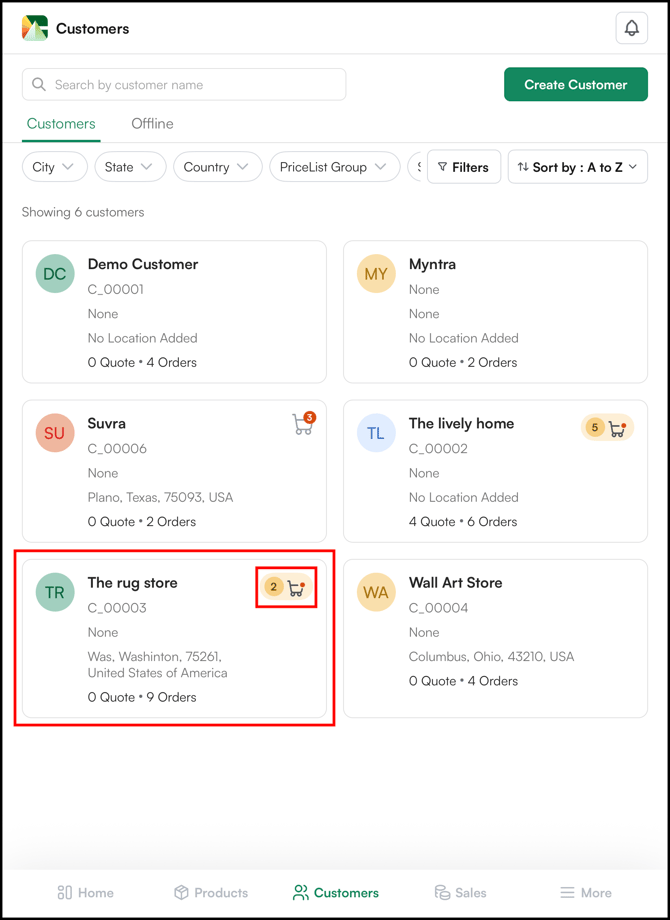
- From the bottom nav bar menu, go to Customers.
- Search for the customer by name, company, or email, and click on their profile to open it.
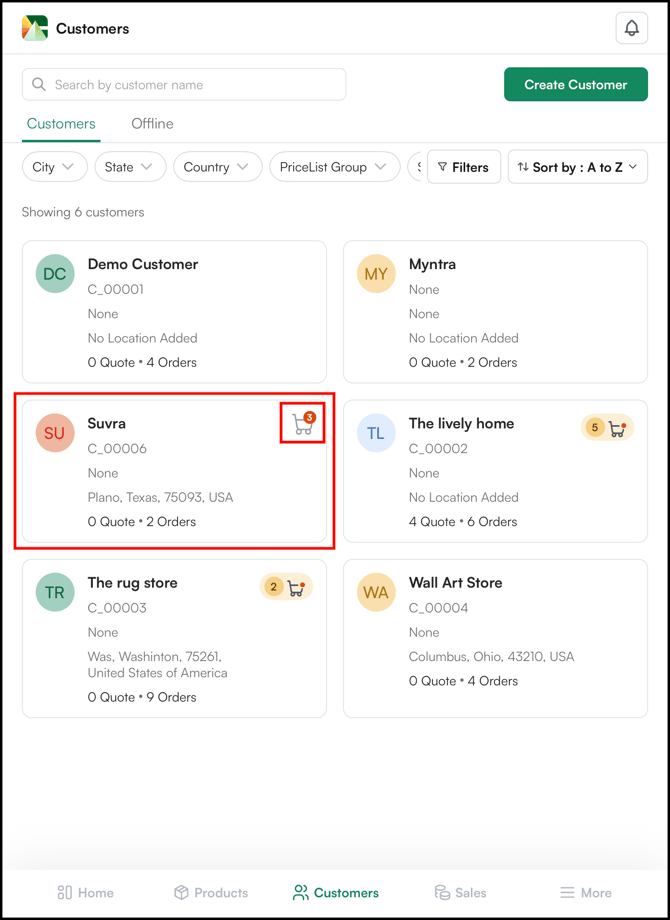
- Inside the customer's profile, at the top right corner you'll see the cart icon.
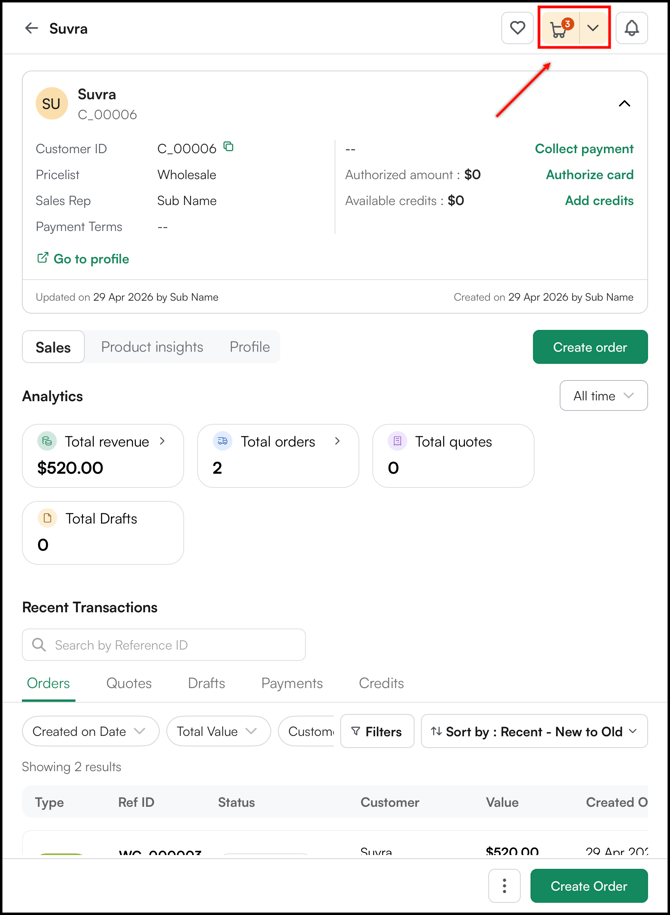
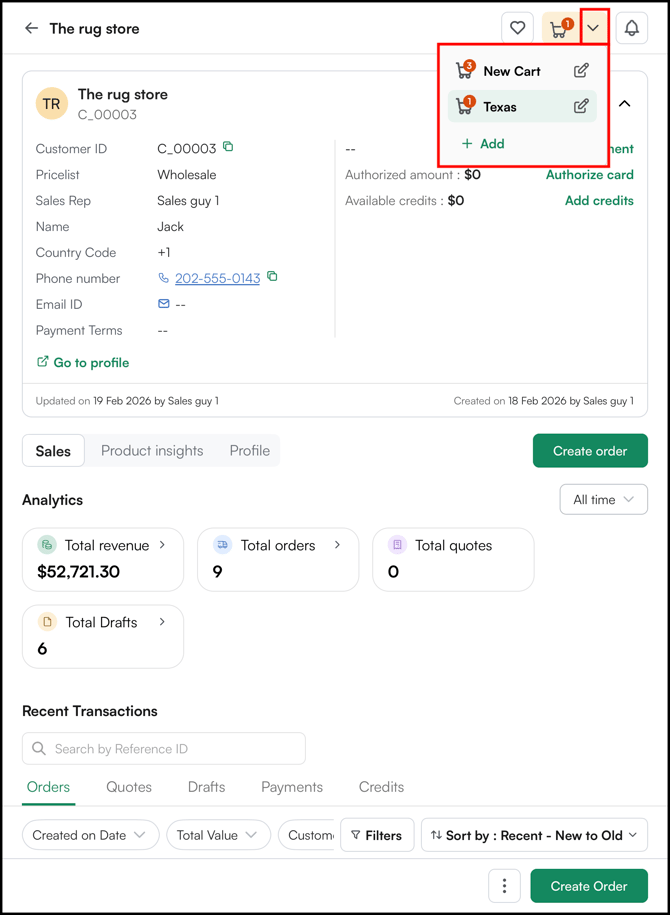
- Click on any cart to view its full contents or take further action.
Note: The Multi-Cart dropdown shows carts that are currently active for the selected customer. Once a cart is converted to an order, it will no longer appear in this list.
Not finding what you need? Contact our support team at help@wizcommerce.com