
The Payment Link option appears only when the Payment Links permission is enabled for your role. Admins can enable it directly from User Management, so you don't need to contact support.
Note: Only users with access to User Management → Roles can enable this permission. If you don't have this access, ask your admin to enable it for you. If it is still not available, reach out to our support team at help@wizcommerce.com.
» How to enable Payment Links
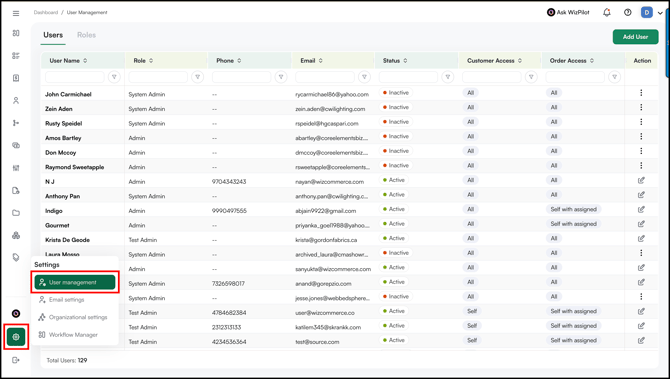
- Go to Settings → User Management.
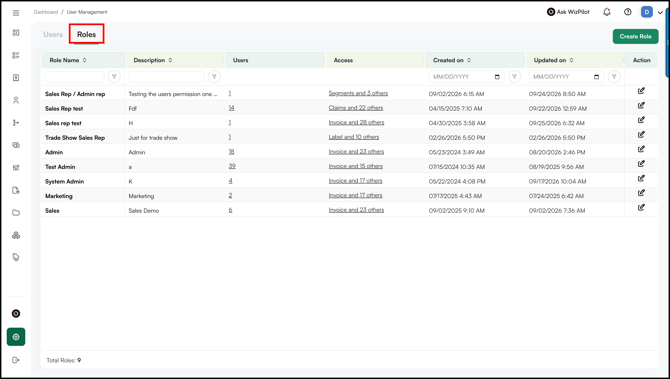
- Navigate to Roles.
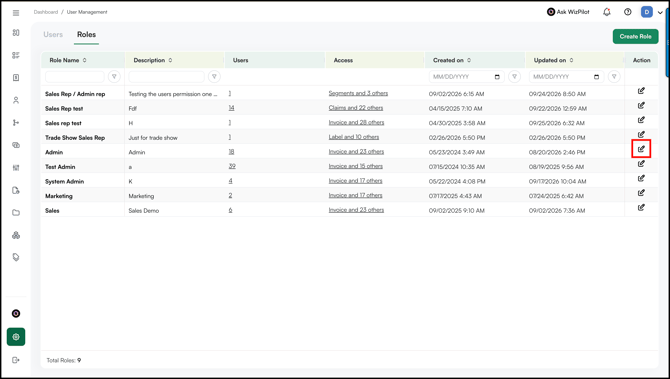
- Select the role you want to enable Payment Links for.
- Click the Edit icon in the Actions column.
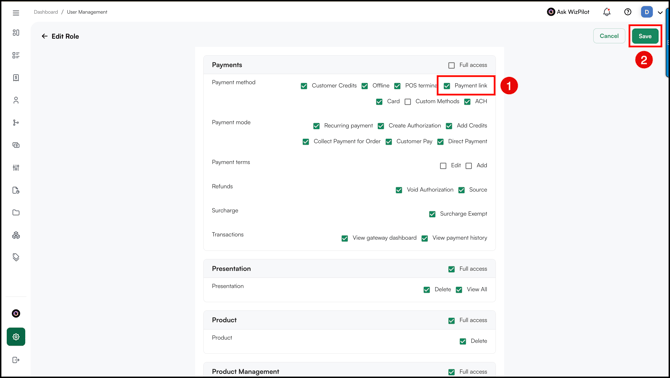
- Under the Payments section, find the Payment Links permission and enable it.
- Click Save.
Note: Once enabled, all users assigned to that role can see the Payment Link option and send payment links to customers for their orders, so customers can pay by credit card.
Still need help? Reach out to our support team at help@wizcommerce.com.