
The Silo Editor creates clean, isolated product images with a plain background — the standard format for catalog listings and product pages. This article explains how to upload a product image, remove the background, add shadows, and export a finished silo image.
Platform: WizStudio | Who is this for: Designers
To Get There: WizStudio > Silo Editor
Table of Contents
| Section | Topics |
| A | Remove Unwanted Elements From an Image |
| B | Download Your Image |
| C | FAQs |
Before You Begin
- You must have access to WizStudio
- Have the product image you want to edit ready to upload
- The Silo Editor interface works similarly to the Lifestyle Generator edit panel — if you have used that before, the controls will feel familiar
A. Remove Unwanted Elements From an Image
Magic Eraser removes unwanted elements from an image, such as props, shadows, or background objects, without replacing the entire background. Use it to clean up specific areas while keeping the rest of the image intact.
-
Open your image in the Silo Editor.
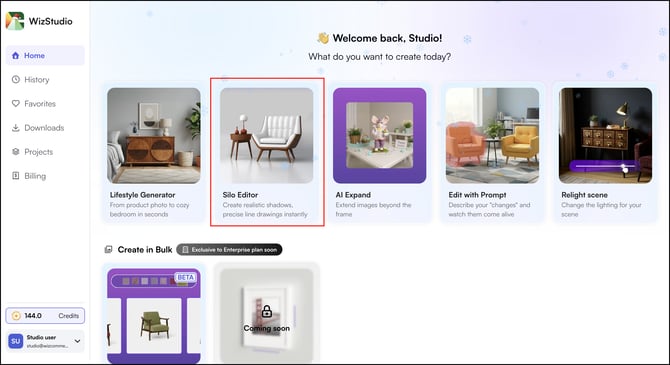
-
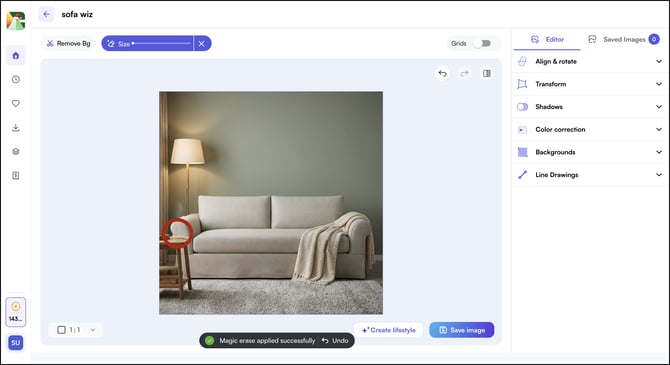
Click Magic Eraser and adjust the brush size using the slider
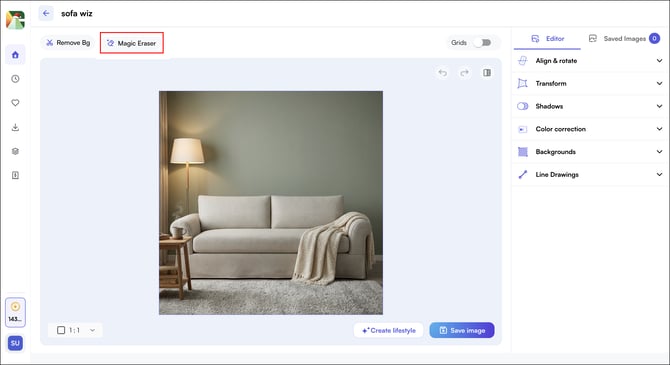
- Adjust the brush size using the slider to match the element you want to remove.
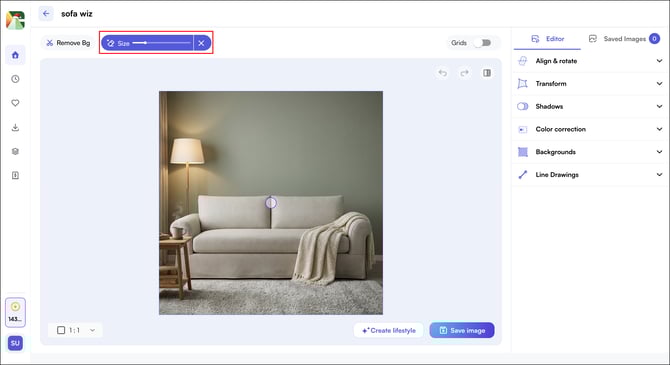
- Carefully trace over the element you want to remove, paying close attention to edges. For understanding, let's remove the coffee mug from the side table in front of the sofa.
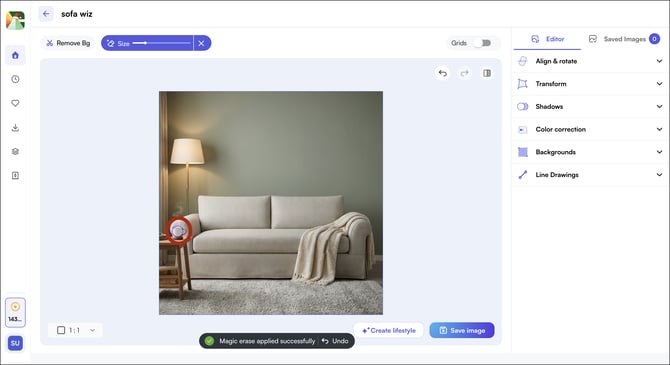
- Release the brush and wait for the result to process.
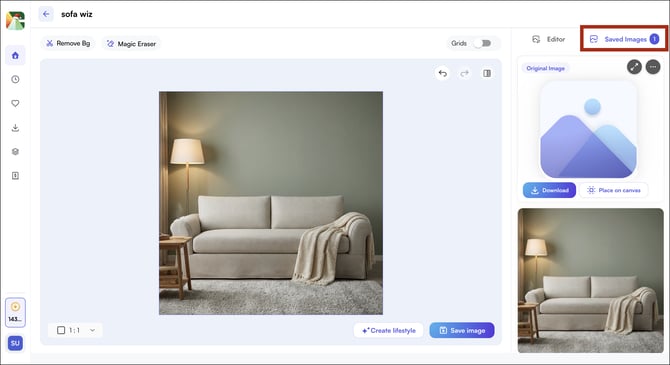
- Click Saved Images, the image will appear in the Saved Images tab beside the editor.
B. Download Your Image
Once you are satisfied with the edited image, download it directly from the Saved Images tab.
-
Click the desired image in the Saved Images tab
-
Click Download
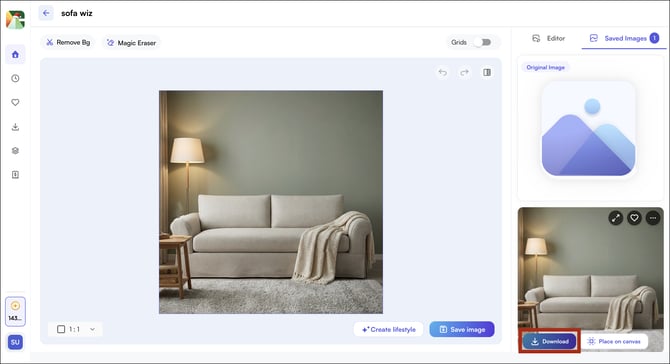
Note: Silo Editor images download at 1K resolution by default and are charged accordingly.
FAQs
1. Can I undo a Magic Eraser edit if the result does not look right?
A. If the result does not match your intent, re-open the image and apply the Magic Eraser again with a smaller brush size, paying closer attention to the edges of the element. Precise tracing produces cleaner results.
2. Can I continue editing a Silo Editor image in the Lifestyle Generator?
A. Yes. Click the Lifestyle Generator button at the bottom right of the Silo Editor screen to switch modes and continue editing your image there.
3. What resolution do Silo Editor images download at?
A. Silo Editor images download at 1K resolution by default. Credits are charged at the standard 1K rate for each image you download.
Not finding what you need? Browse the WizCommerce Help Center, reach out to your Customer Success Manager, or contact our Support Team.