
Item History gives you a single, SKU-level view of everything an account has ordered — across every past order — so you can spot repeat purchases, check what a customer bought and when, and understand demand at the item level.
Platform: WizOrder & WizShop | Who is this for: Sales Reps, Admins & Buyers
To Get There: WizOrder: Sales tab → Item History | WizShop: My Account → Item History
Before You Begin
- Item History is enabled by the Implementation team via a backend toggle. It isn't a self-serve setting.
- Order history data must already be available and synced for the account for Item History to populate.
A. What Item History Shows
Previously, order details lived inside individual orders, quotes, and invoices (each with its own list of items) with no easy way to look at things the other way around: by item.
Item History flips that view. For any SKU, you can see:
- Which orders that SKU was part of
- Which customer ordered it
- The item's details at the time of that specific order
This makes it possible to answer questions that were previously hard to get to, like how many different orders a SKU has appeared in, how many distinct customers have bought it, and which customers are reordering it.
B. View Item History in WizOrder
- Go to the Sales → Item History.
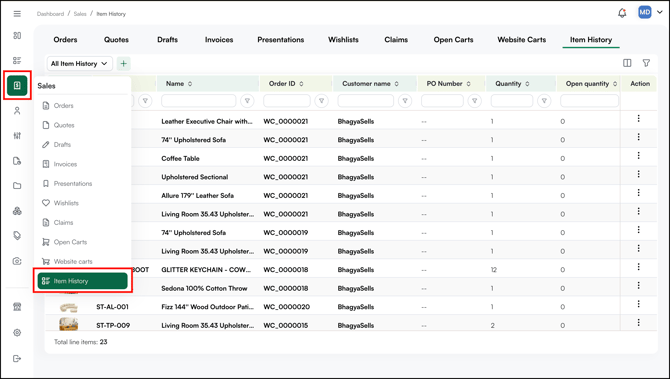
- Search or browse to see every SKU you have previously ordered, which order(s) it was part of, and the item's details at that time.
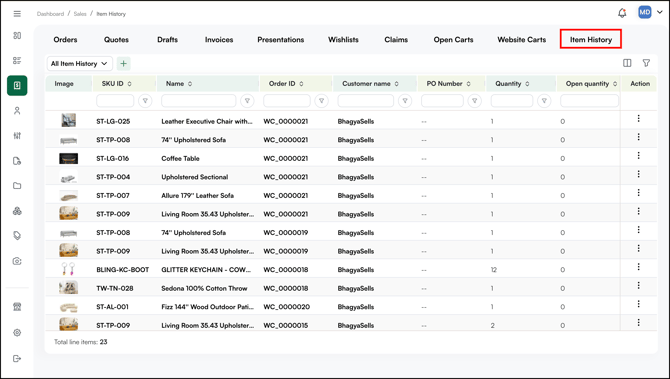
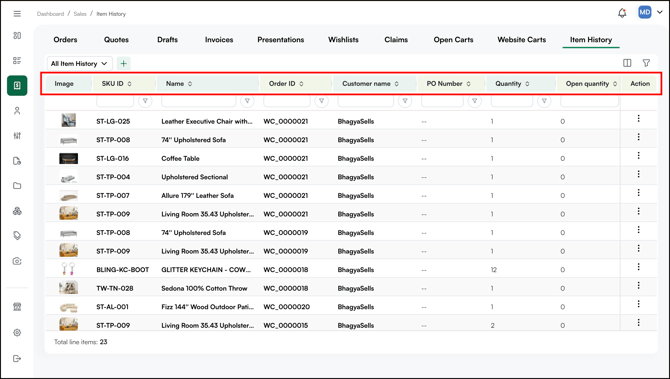
- You can view item history by SKU ID, SKU Name, Order ID, PO Number, Quantity, Unit Price, Total Price, Submitted Date, and more.
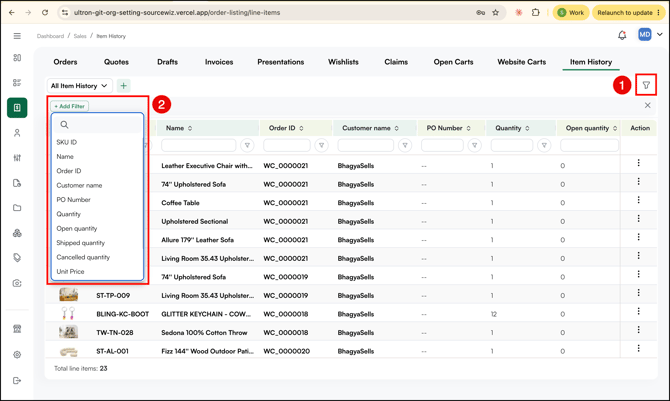
- You can also filter by SKU ID, SKU Name, Order ID, PO Number, Quantity, Unit Price, Total Price, Submitted Date, and more.
C. View Item History in WizShop (My Account)
The same history is available to buyers on the storefront.
- Log in to WizShop.
- Go to Account Dashboard.
- Open the Item History section.
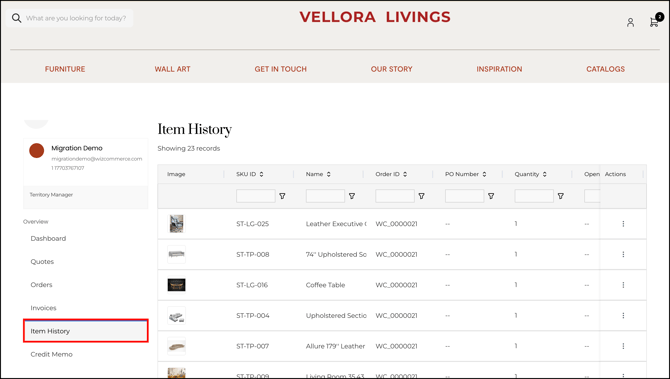
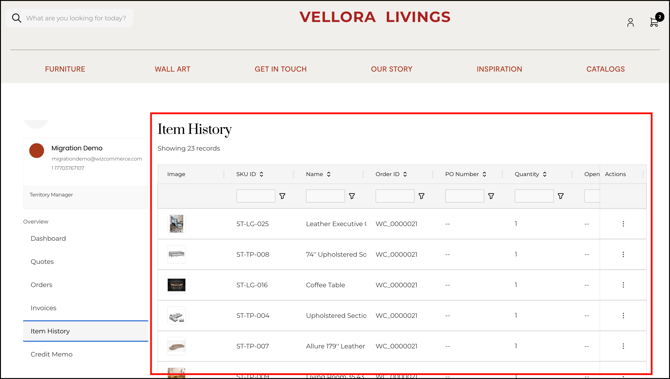
- Search or browse to see every SKU you have previously ordered, which order(s) it was part of, and the item's details at that time.
- You can also filter by SKU ID, SKU Name, Order ID, PO Number, Quantity, Unit Price, Total Price, Submitted Date, and more.
D. Analytics You Can Run With Item History
Because history is tracked at the SKU level, Item History supports questions such as:
- Order Spread: How many different orders has this SKU appeared in?
- Customer Reach: How many different customers have ordered this SKU?
- Repeat Behavior: Which customers are ordering a particular SKU repeatedly?
This gives reps and buyers a quick way to gauge a SKU's demand and reorder patterns, without having to manually cross-reference order data.
FAQs
1. Is Item History available on both WizOrder and WizShop?
A. Yes. Item History is on the Sales tab in WizOrder for sales reps and admins, and under My Account in WizShop for buyers. It's on by default for both new and existing accounts.
2. Is there an extra cost for Item History?
A. No. Item History is included with all plans at no additional cost. There's no separate requirement to use it.
3. Why can't I find an item I know I ordered before in my Item History?
A. This can happen if there's a sync gap between when the order was placed and when Item History data updates. If an item is still missing after some time, reach out to our support team.
4. Can another company see my Item History, or can I see theirs?
A. No. Item History is scoped strictly to your own account. You can only see your own order and item history, never another company's.
Still need help? Reach out to our support team at help@wizcommerce.com.