
WizCommerce uses specific terms to describe how products are structured, organized, and tracked. Here's what each one means and how it applies to your catalog.
Platform: WizOrder & WizShop | Who is this for: Admins & Buyers
Table of Contents
| Sections | Topics |
| A | Products & Variants |
| B | Categories vs. Collections |
| C | Product List (PLP) vs. Product Details (PDP) |
| D | Media & Attributes |
| E | Inventory |
| F | Modifiers |
| G | FAQs |
A. Products and variants
In WizCommerce, your product setup is built to handle the complexity of wholesale, mirroring how you manage physical goods and sales channels.
-
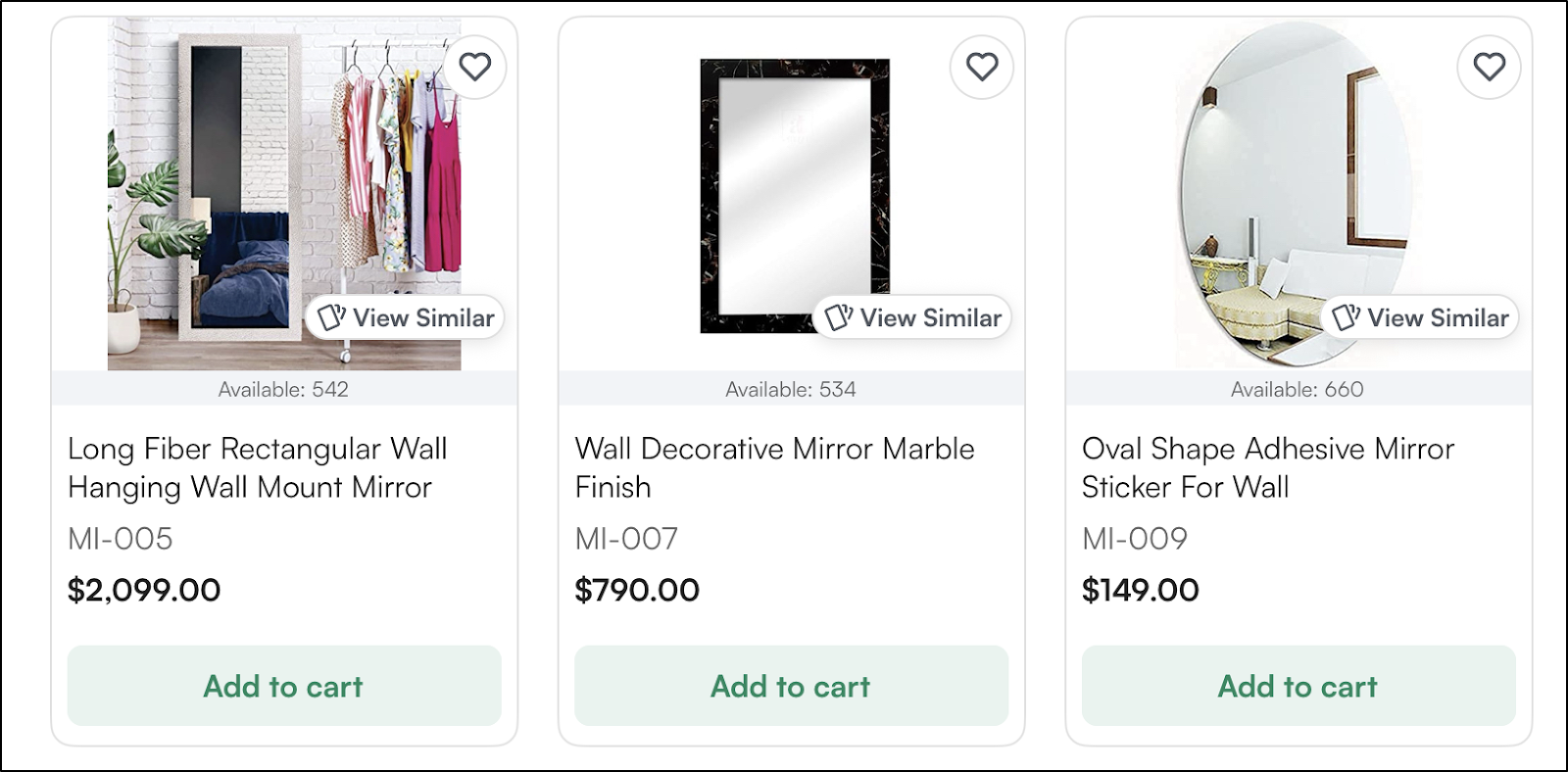
Product: The main item you sell (e.g., “Wall Mirror”)
-
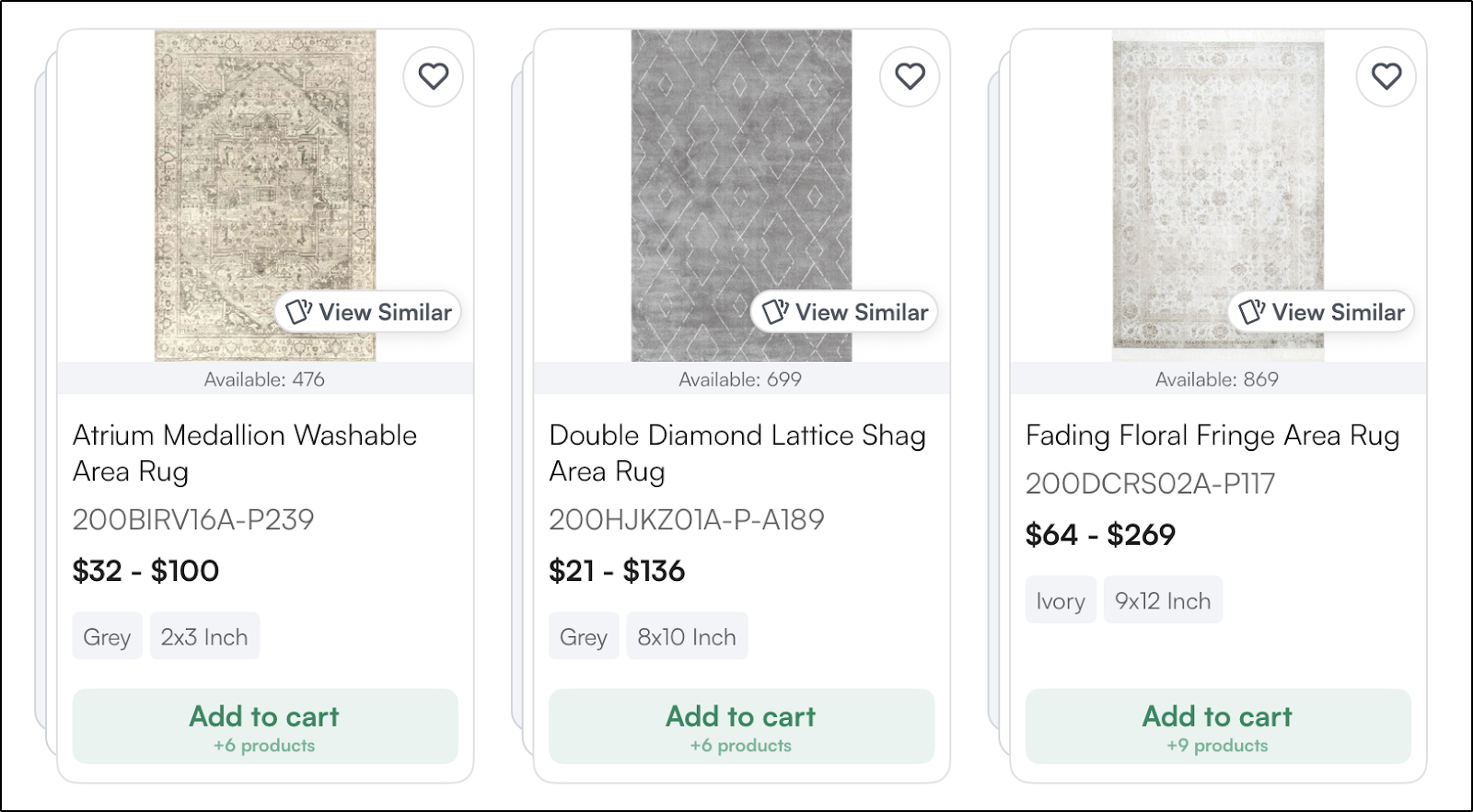
Variant: A specific version of a product defined by attributes such as size, finish, or color (e.g., a rug available in Blue, Beige, and Terracotta). Products with variants appear in a stacked view.
-
SKU (Stock Keeping Unit): A unique alphanumeric code assigned to each sellable product or variant in your catalog. Every size, color, or finish combination has its own SKU, used to track inventory, process orders, and sync data with your ERP.
-
Case Pack / Pack Size: In wholesale, products are typically sold in fixed quantities rather than as individual units. A case pack defines the minimum sellable unit. For example, a candle sold in cases of 6 means a buyer must order in multiples of 6. The pack size is displayed on both the product listing and product details page, so buyers always know what they're purchasing.
Each variant has its own SKU, inventory, and pricing.
In the product list, products with variants appear in a stacked view, making them easy to visually distinguish from those without variants.
For example, a ceramic table lamp may come in:
-
Small / Medium / Large
-
Matte Black / Antique Brass
Each combination is tracked separately while still belonging to a single core product.
B. Categories vs. Collections
-
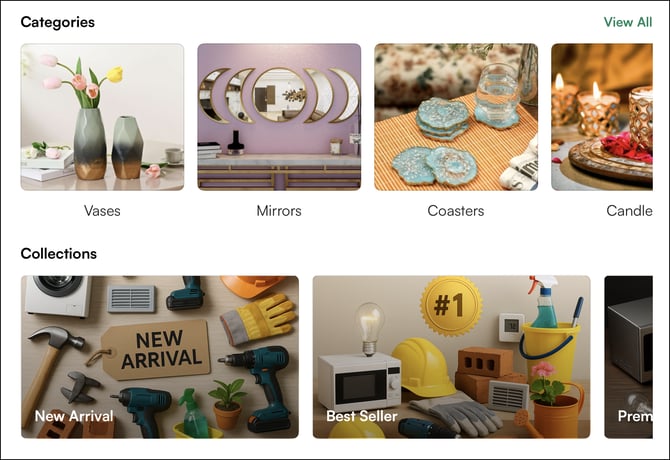
Categories are your primary, permanent navigation structure. They are essential for organizing your catalog logically so buyers can find items. These define how buyers browse your catalog (e.g., Mirrors > Wall Mirrors > Arched Mirrors). Categories act as your showroom’s main departments.
-
Collections: Flexible merchandising groupings used for seasonal or promotional purposes (e.g., “Spring Market Launch,” “High Point Favorites,” “Holiday 2026 Collection”).
For example, a gold wall mirror always belongs in the Mirrors category.
It can also appear in:
-
“New Arrivals”
-
“Best Sellers”
-
“Modern Minimalist Collection”
without changing its primary category.
C. Product list (PLP) vs. product details (PDP)
-
Product Listing Page (PLP): A browsing page displaying multiple products across all categories or collections.
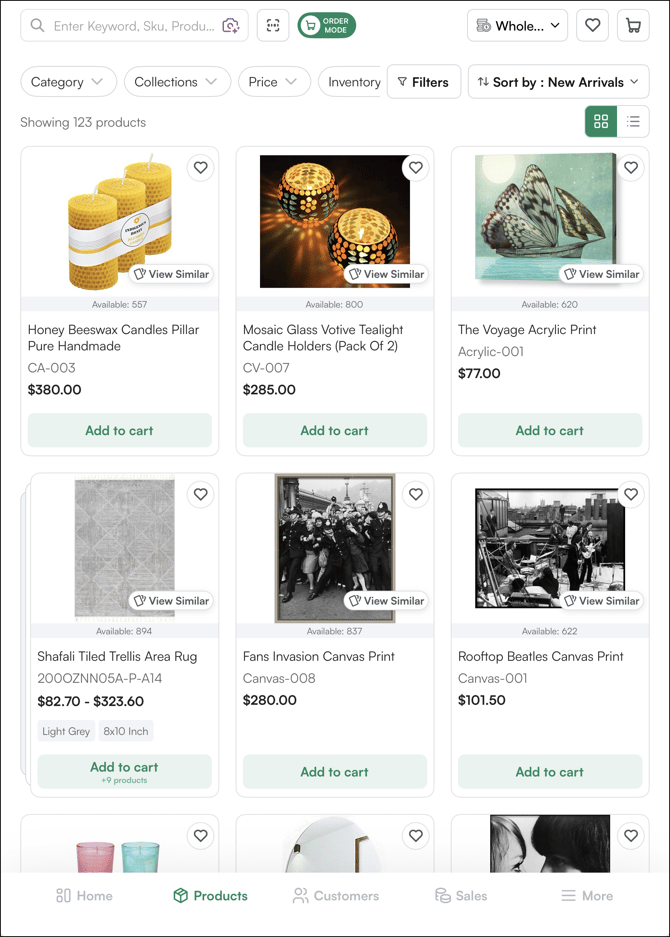
Designed for fast scanning and reordering, it may display: Wholesale price, Pack size (e.g., Case of 4), Inventory availability
-
Product Details Page (PDP): The dedicated page for a single product or variant.
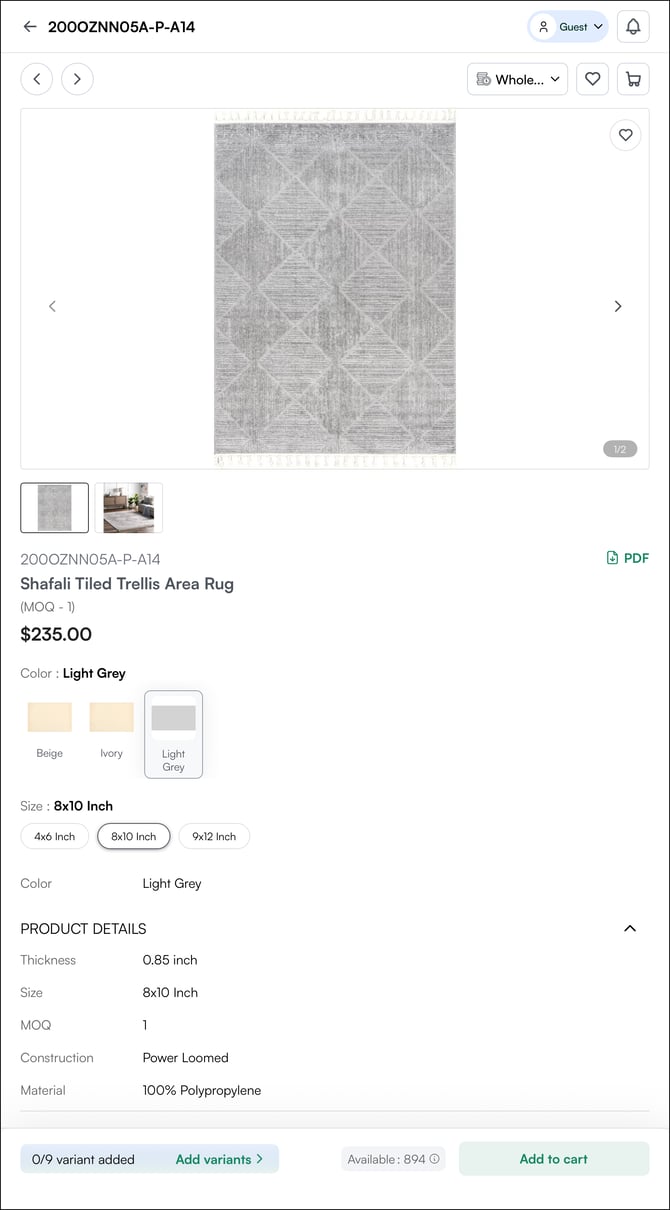
Here, buyers can view:
-
Full description (e.g., material: 100% polypropylene)
-
Available finishes or sizes
-
High-resolution imagery
-
Case pack details
-
Technical specifications
Final selection typically happens here.
D. Media and Attributes
-
Media: Product imagery and supporting assets, such as:
-
Silo images (clean background product shots)
-
Lifestyle images (rugs placed in a living room)
-
Tear sheets or spec documents
-
-
Attributes: Structured data defining the product, such as:
-
Material (e.g., mango wood, ceramic, iron)
-
Finish (antique brass, matte black)
-
Dimensions (36” H x 24” W)
-
Style (modern, farmhouse, coastal)
-
Attributes power filtering, search accuracy, and variant creation. These are customizable depending on the requirements.
E. Inventory
Inventory refers to the available quantity of each SKU or variant tracked in WizCommerce and synced with your ERP (if integrated).
Inventory reflects the real-time stock level for each sellable unit, whether it’s a specific mirror finish, rug size, or lighting variant. Inventory status determines whether a product can be ordered immediately, placed on back order, or is unavailable.
Inventory is tracked at the variant level, not just the base product level.
Inventory status terms
The labels below are the most commonly used inventory statuses. These terms can be customized based on your business preferences and terminology.
1. In stock
The product or variant is currently available for purchase. The displayed quantity reflects the number of units ready to ship.
Example: 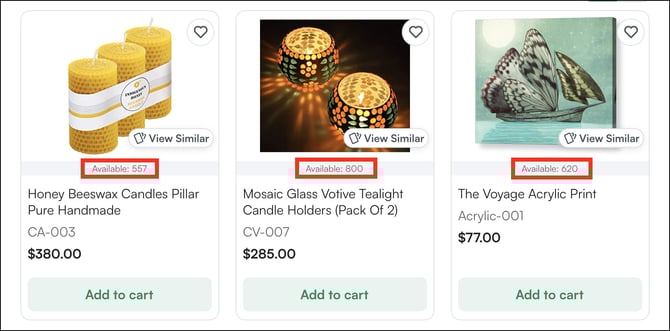
“ Honey Beeswax Candles – In Stock (557 units available)”
2. Out of stock
The product or variant has zero available inventory and cannot be ordered unless back orders are enabled.
Example: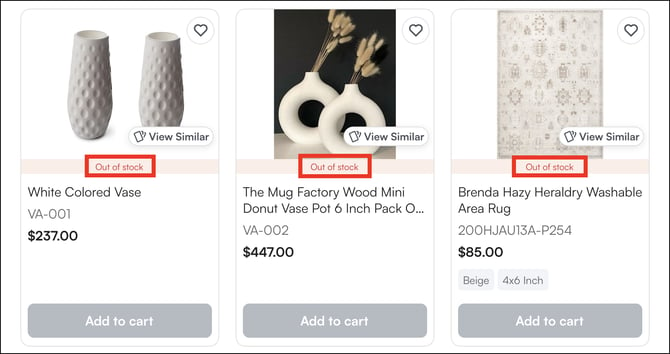
“White Colored Vase - Out of Stock”
3. Back order
The product is currently unavailable but can still be ordered. Fulfillment will occur once new inventory arrives.
Back order availability is controlled by your business settings and ERP configuration.
Example:
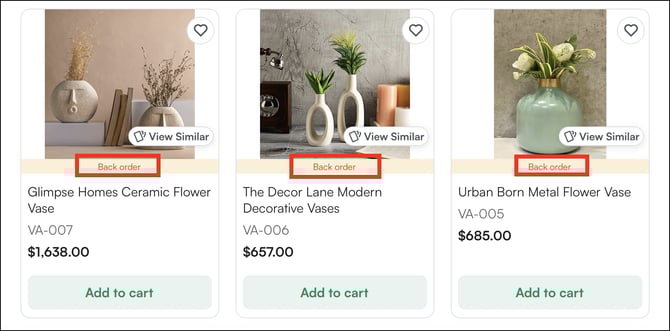
A retailer can place an order for 24 ceramic vases even if the current inventory is zero, with fulfillment scheduled after restock.
Note: If you’d like, we can also add related glossary terms, such as “Pre-order” and “Available on,” if they are commonly used in your workflows.
F. Modifiers
Customizable options that adjust how a product is ordered without creating a new SKU.
For example:
-
Custom engraving on a decorative tray
-
Optional hanging hardware
-
Custom packaging for boutique retailers
FAQs
1. What is the difference between a product and a variant?
A. A product is the main item you sell (e.g., "Wall Mirror"). A variant is a specific version of that product defined by attributes like size, color, or finish. Each variant gets its own SKU, inventory count, and pricing.
2. Can a product belong to more than one collection?
A. Yes. A product can appear in multiple collections simultaneously (e.g., "New Arrivals" and "Best Sellers") without changing its primary category.
3. Is inventory tracked per variant or per product?
A. Inventory is tracked at the variant level. Each SKU, every unique size, color, or finish combination — has its own stock count.
4. Can I customize inventory status labels?
A. Yes. The default labels (In Stock, Out of Stock, Back Order) can be customized to match your business terminology.
Not finding what you need? Browse the WizCommerce Help Center, reach out to your Customer Success Manager, or contact our Support Team.