
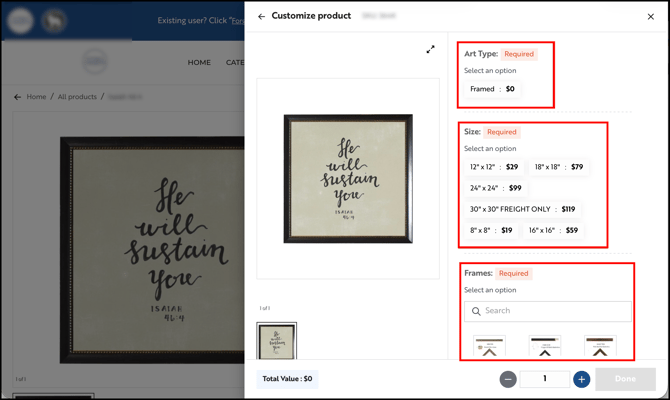
Some products have modifiers, which are options you choose when adding the product, such as a type, frame, or finish. If a modifier is required, the Done button stays greyed out until you choose a value for it. You need to choose a value for every required modifier before you can add the product to your cart.
Note: This works the same way on every browser and device.
» How to add the product
- Open the product and check each modifier.
- Choose a value for every required modifiers.
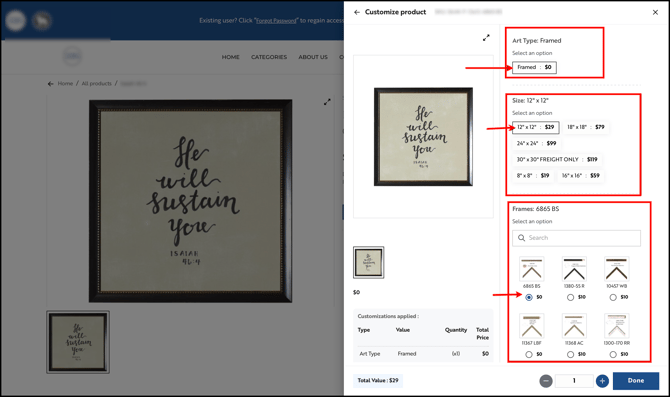
- If an modifier you expect isn’t showing, choose a value for the modifier above it first. Some modifiers (dependent modifiers) only appear after another one is selected.
- Click Done to add the product to your cart.
Still need help? Reach out to our support team at help@wizcommerce.com.