
If your sales rep works across multiple companies, they can switch between accounts directly from the WizCommerce main page, without needing to log out and back in each time.
» How to switch companies on the web portal
- Log in to the WizCommerce web portal as usual.
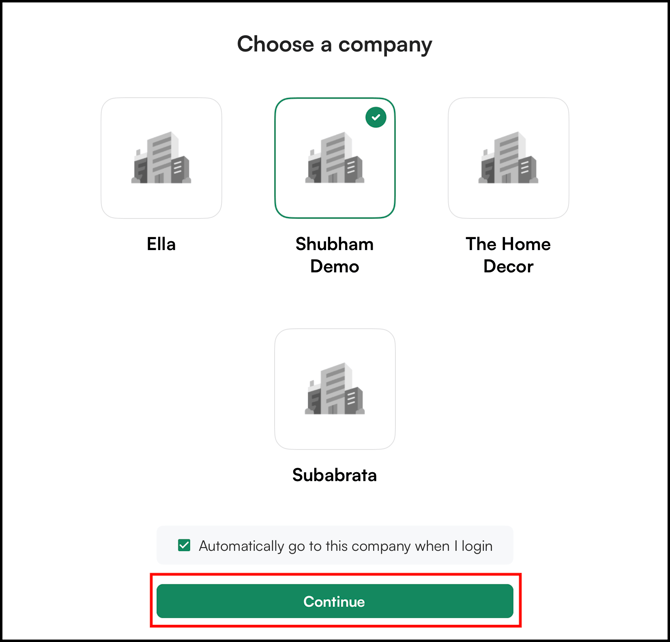
- From the main page, click on Switch Company.
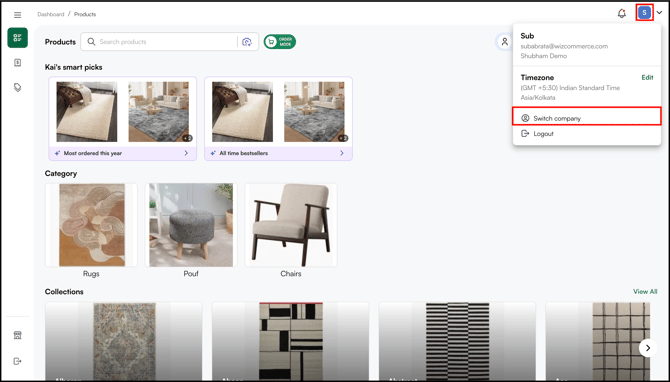
- Select the company you want to switch to from the list.
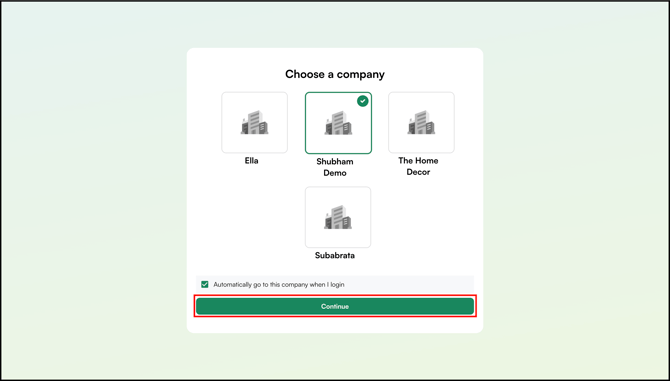
- Click Continue to enter that company's workspace.
» How to switch companies on the mobile app
From the More tab:
- Log in to the WizOrder mobile app as usual.
- Tap the More tab from the bottom navigation bar.
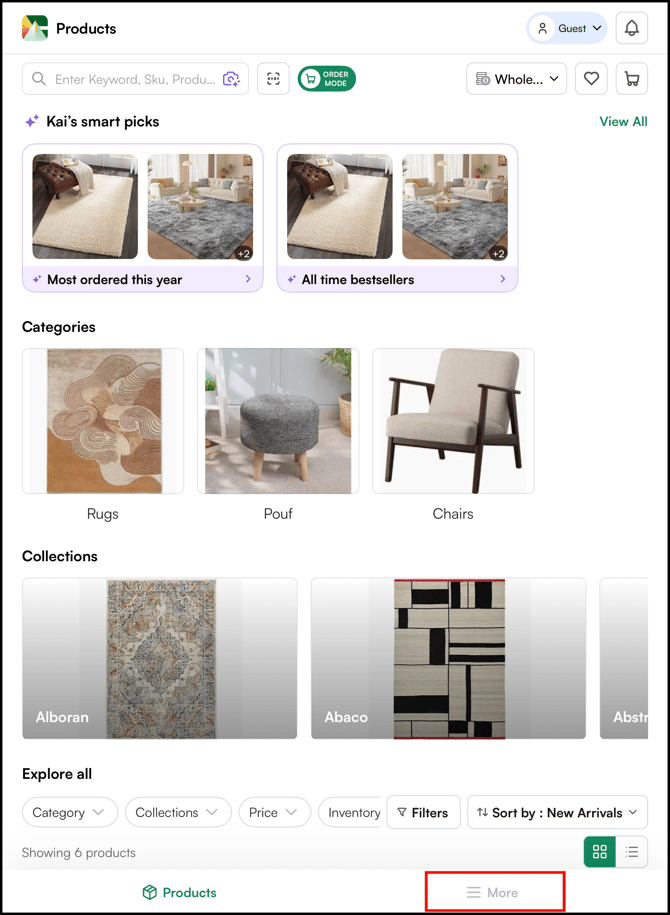
- Tap Switch Company.
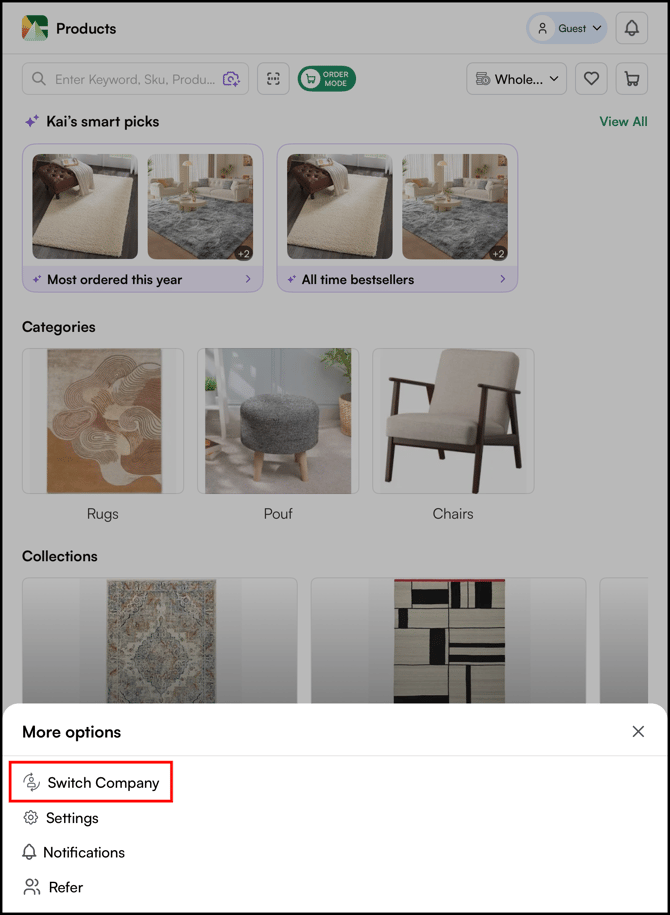
- Select the company you want to switch to from the list.
- Tap Continue to enter that company's workspace.
From Profile settings:
- Log in to the WizOrder app.
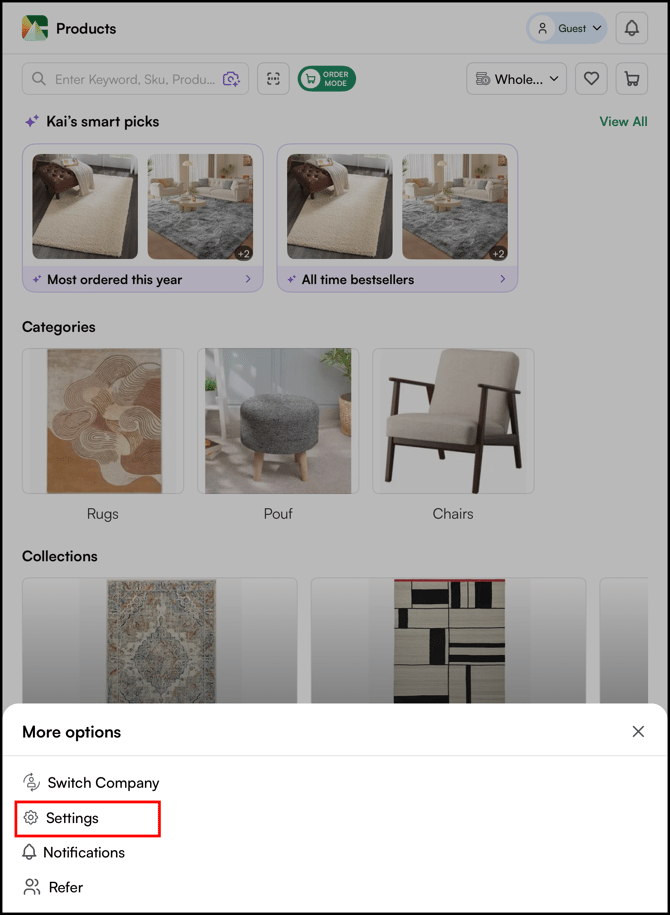
- Navigate to More, and click on settings.
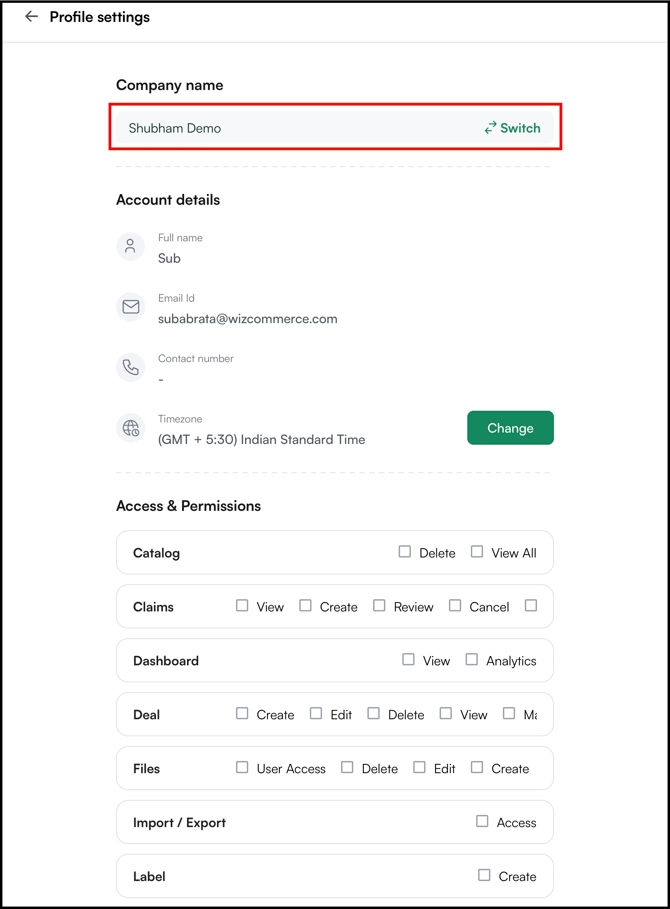
- Next to the Company name, click Switch.
- Select the company you want to switch to from the list.
- Tap Continue to enter that company's workspace.
» What if the Switch Company option is not showing up?
The switch option only appears when all company accounts are registered under the same email address. If each company was set up with a different email address, the option will not show up.
In that case, the representative will need to log out and log back in separately for each company using its own login credentials.
If you believe the accounts should be linked, contact our support team at help@wizcommerce.comfor further help.
Not finding what you need? Browse the WizCommerce Help Center, reach out to your Customer Success Manager, or contact our support team at help@wizcommerce.com.