
History keeps a record of your past WizPilot conversations so you can pick up where you left off instead of starting over. This article covers where to find History and what's confirmed about how it works at this release.
Platform: WizOrder | Who is this for: Sales Reps & Admins
To get there: WizOrder → Ask WizPilot
Table of Contents
| Sections | Topics |
| A | What is History? |
| B | Where to Find History |
| C | What You Can Do |
| D | FAQs |
A. What is History?
History is where your previous WizPilot conversations are kept, so you can find a past answer, an earlier draft, or a report you asked for without recreating it.
B. Where to Find History
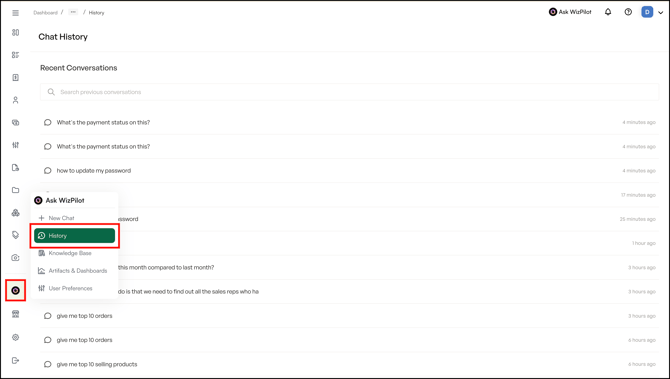
- Open the WizPilot side menu and select History.
- You can also access History form the top nav.
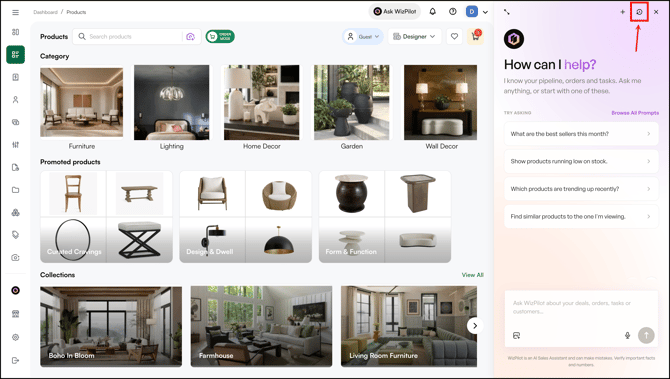
Note: History is also available on mobile and tablet, alongside chat itself. This is one of the few WizPilot capabilities with full mobile support at this release.
C. What You Can Do
You can search, revisit, continue, rename, and delete your past WizPilot conversations; all from one place, and all kept for as long as you need them.
- WizPilot keeps your chat history permanently. There's no cutoff or auto-deletion, so you can always go back to a past conversation whenever you need it.
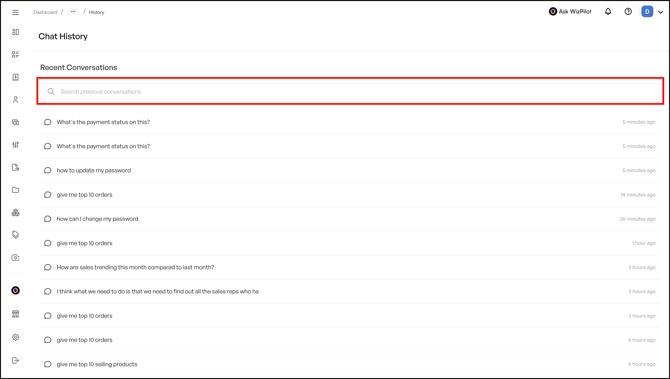
- You can search within History to find a specific past conversation, rather than scrolling to find it.
- Reopening a past conversation lets you pick up right where you left off. It's not just a read-only view. You can keep chatting in that same thread.
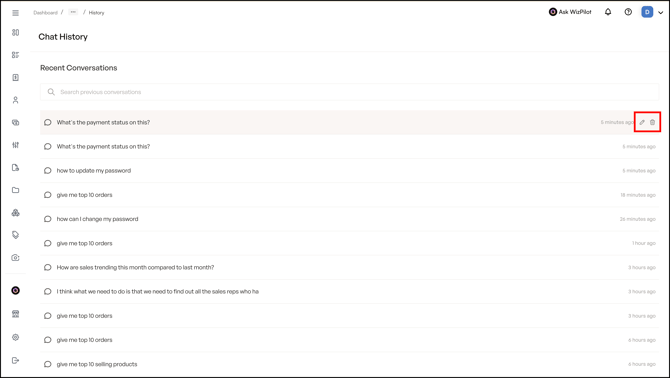
- You can also delete or rename your own conversations from History. This only applies to conversations you created — not other reps' history.
FAQs
1. Where do I find my past WizPilot conversations?
A. Open the WizPilot side menu and select History.
2. Can I use History on my phone or tablet?
A. Yes. History is one of the WizPilot capabilities available on mobile and tablet at this release, alongside chat itself.
3. Can I pick up a past conversation and keep going, or just look back at it?
A. You can continue it. Reopening a conversation from History drops you back into that same thread, so you can keep chatting rather than starting over.
4. How long does WizPilot keep my chat history?
A. Indefinitely. There's no retention limit, your conversations stay in History until you choose to delete them.
5. Can I delete or rename a conversation in History?
A. Yes, for your own conversations. You can't delete or rename conversations belonging to other reps.
Still need help? Reach out to our support team at help@wizcommerce.com.