
Yes, you can do this using Select Mode.
» Steps to add multiple products to a wishlist
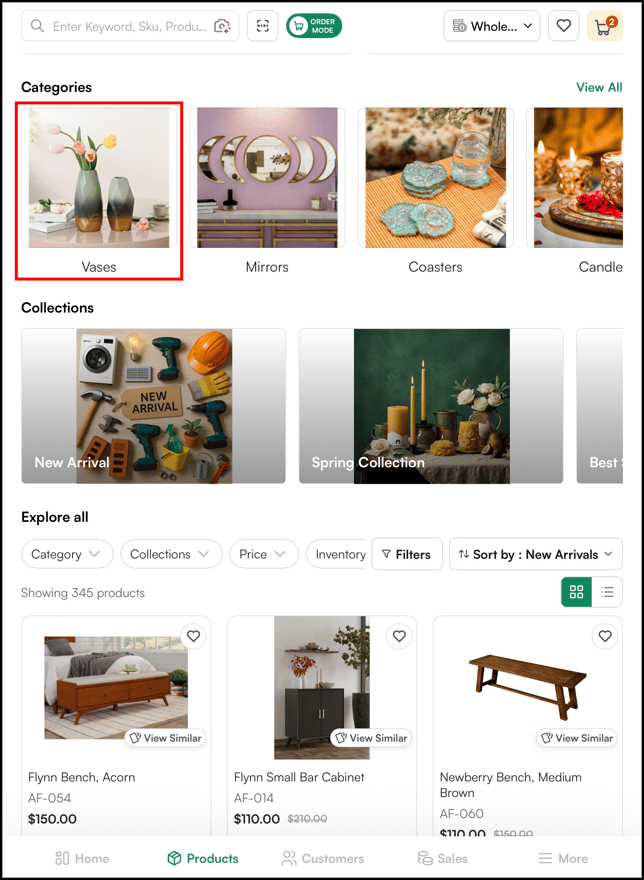
- Navigate to the category you want.
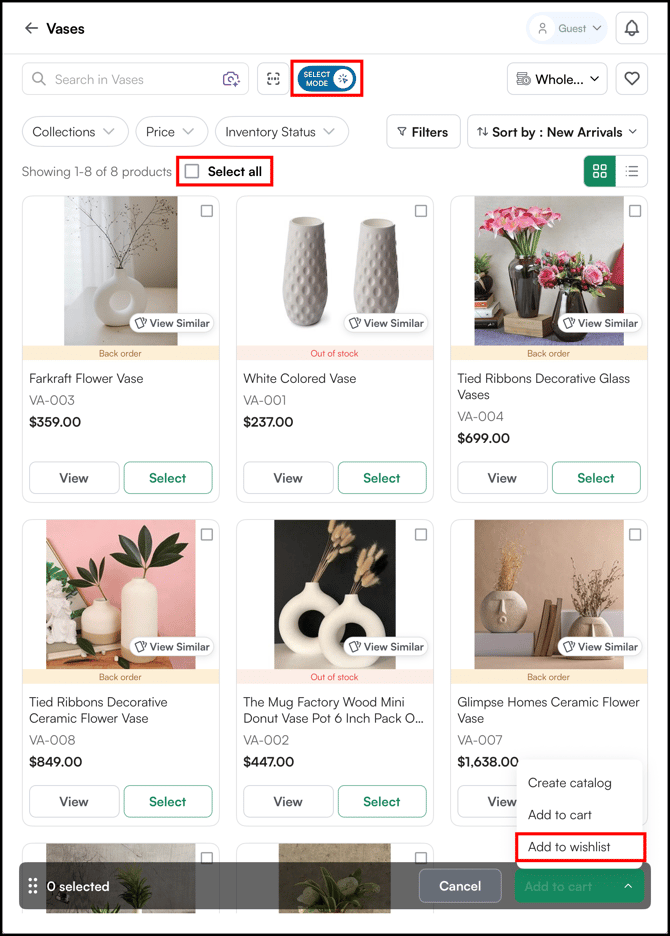
- Tap Select Mode at the top of the product listing page.
- Use the Select All checkbox to select all products on the page, or tap the checkbox on individual product cards to select specific ones.
- Tap Add to Wishlist from the menu that appears at the bottom of the screen.
Tip: For more on wishlists, see Create and Promote a Wishlist in the WizCommerce Help Centre.
Still need help? Reach out to your Customer Success Manager or contact our Support Team.