
A discount applies only to the products included in its product segment.
If the segment uses product attributes such as size, color, or material, a product is included only when its attribute values match the segment's conditions. If any value is different, the product is not included and won't get the discount, even if it appears to be in the correct discount group.
» How to fix it
- Open the product segment used by the discount and check its attribute conditions.
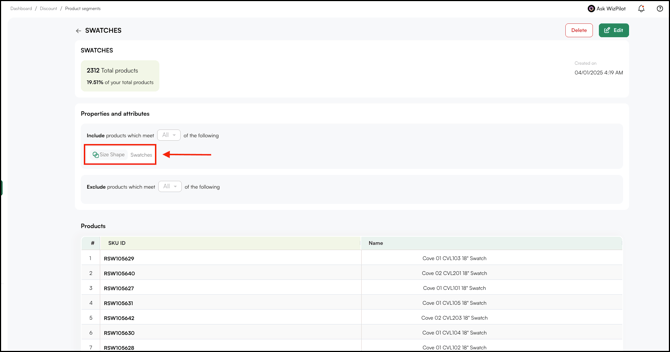
- Compare those conditions with the attribute values on the affected product.
- If the product's attribute value does not match, update it to match the segment's condition.
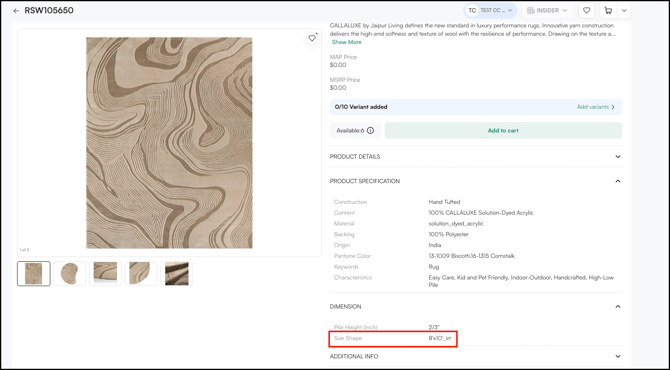
Example: A SWATCH segment includes products where Size Shape is set to Swatches. If a product's Size Shape is set to 8'x10'_irr, it is not included in the segment and the discount does not apply. Updating Size Shape to Swatches adds the product to the segment and the discount applies.
Note: To learn how attribute conditions and operators work in product segments, see Understand Discount Engine.
Still need help? Reach out to our support team at help@wizcommerce.com.