
Turn any generated lifestyle image into a video in just a few clicks. WizStudio offers a full production workflow built on its AI video generation capabilities. You get dedicated flows for lifestyle videos, product close-ups, advertisements, UGC-style videos, and 360° spins plus avatars, a script assistant, and a storyboard preview before you spend any credits.
Platform: WizStudio | Who is this for: Designers & Admins
» Create a Video
- Click the actions menu and select Video to proceed.
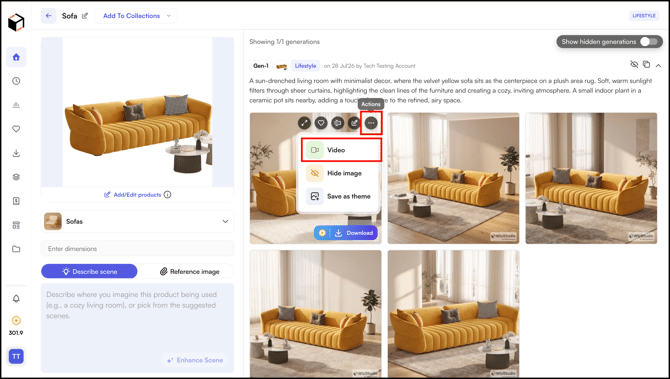
- You can create a
- Lifestyle Video: Brings the product to life in a real-world setting with natural motion, styling, and ambiance.
- Product Closeup: Zooms, pans, and tilts to highlight fine details, materials, and craftsmanship.
- Advertisement: Turns the product into a polished, scroll-stopping ad edit built to drive conversions.
- UGC Video: Creator-style, handheld footage that feels authentic and builds trust.
- 360° Video: Rotates the product through a full spin so shoppers can see every angle.
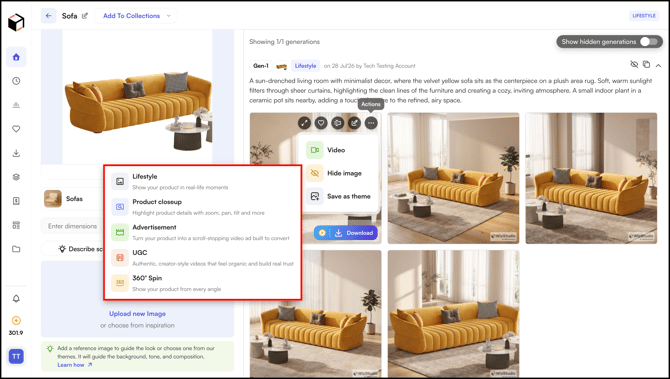
- Select a Video type to generate a video.
-
Once you are in the video generator, you can switch between different video types — Lifestyle, Product Closeup, Advertisement, UGC, and 360° — using the tabs at the top.
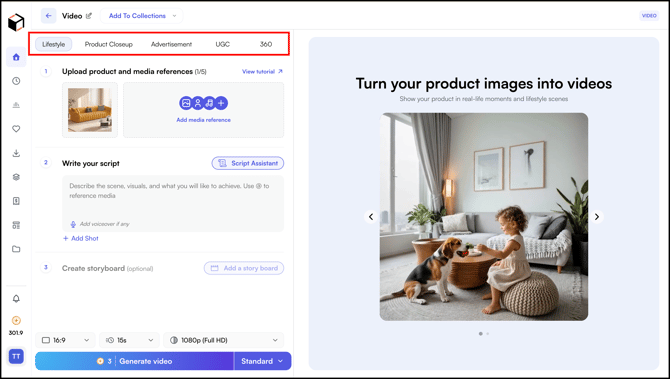
- For example, if you are on the Lifestyle tab and switch to Product Closeup, Advertisement, UGC, or 360°, you'll see two options.
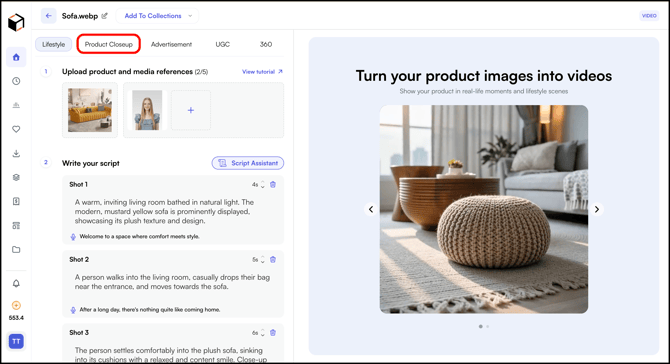
- When you switch, a prompt will appear with two options. Select the one that works for you and click Confirm Switch.
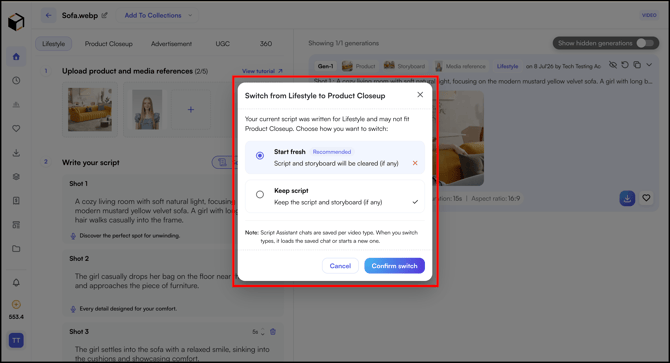
- Follow the same steps to create Product Closeup, Advertisement, UGC, and 360° videos.
» Related Article:
- Generate Lifestyle Images
- Generate Lifestyle Images with Multiple Products
- Edit Lifestyle Images
- Save Lifestyle as Favorites or Theme
- FAQs
Still need help? Reach out to our support team at help@wizcommerce.com.