
Pull a product straight from your Asset Library when starting a new image, instead of uploading it and re-entering its category and dimensions again.
Platform: WizStudio | Who is this for: WizStudio users
Before You Begin
- The product you want to use must already be saved to your Asset Library, either through bulk upload or by saving it while creating an earlier image.
- You can search by product name or filter by category to find it quickly.
» Use Saved Products the Library
When you start a new image, you can pull a product straight from your library instead of uploading it again.
- Begin creating a lifestyle image.
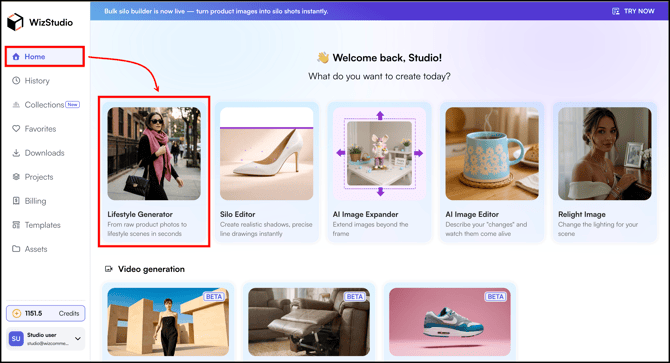
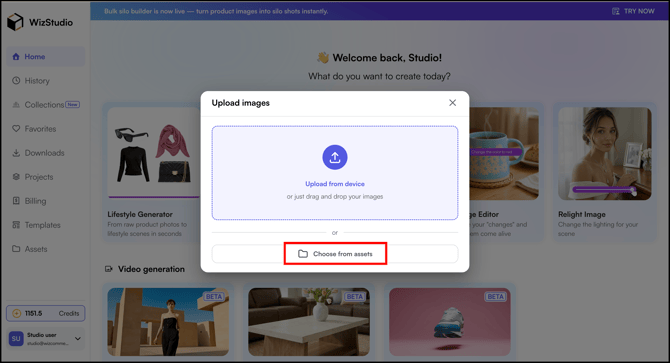
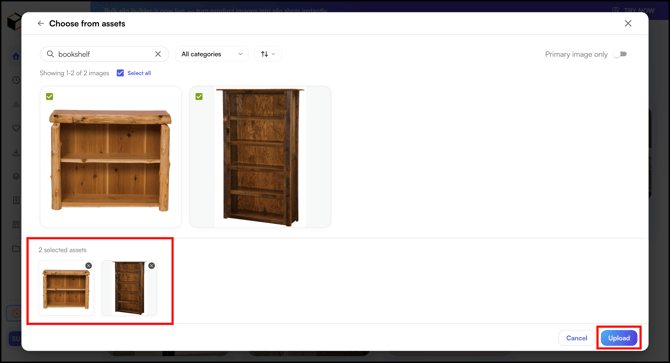
- Select Choose from Assets instead of Upload from device.
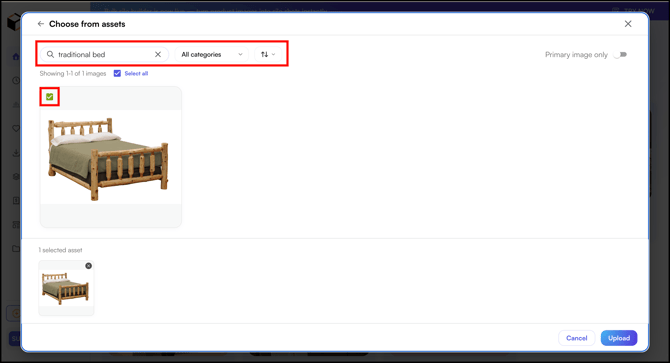
- Search for a product by name, or filter by category, and select it.
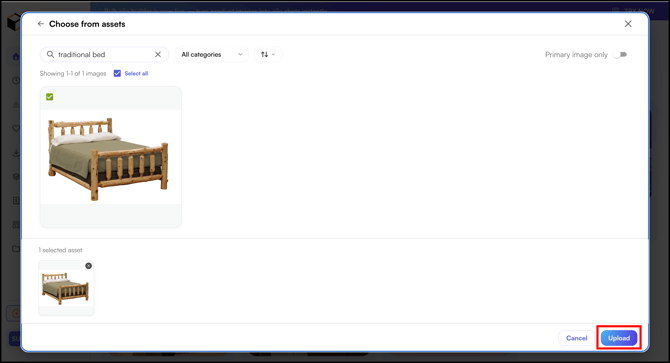
- Click Upload.
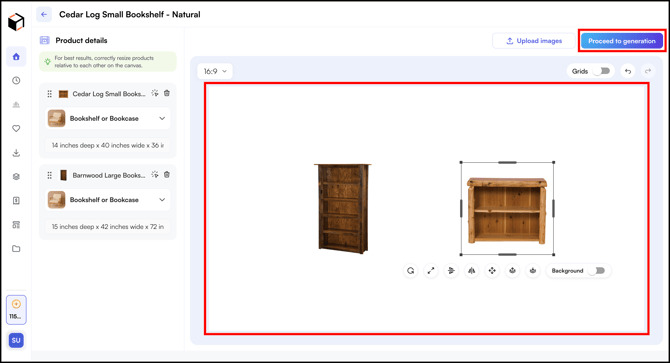
- If you select multiple products, the category and dimensions for your selected products will be pre-filled. For Example,
- Set your layout on the canvas and proceed to generate your images. This is much faster than uploading and entering dimensions manually each time.
» Related Articles →
- What is Asset Library (Assets)?
- Build Asset Library with Bulk Upload
- Save Products to Asset Library
- FAQs: Asset Library
Still need help? Reach out to our support team at help@wizcommerce.com.