
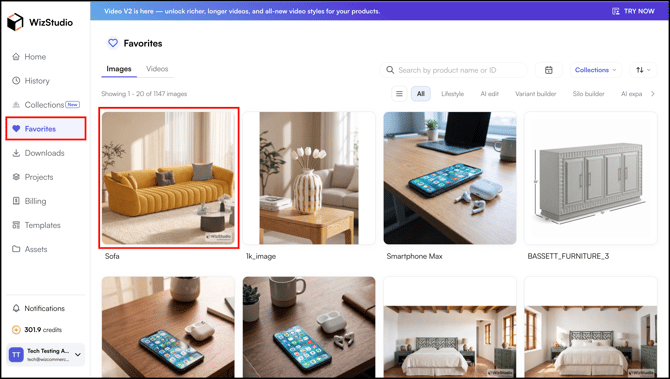
Save generated images to your Favorites vault for quick access later. The Favorites section is accessible from the left sidebar on both the homepage and the editor page.
Platform: WizStudio | Who is this for: Designers & Admins
» Add an Image to Favorites
- Open or hover over any generated image.
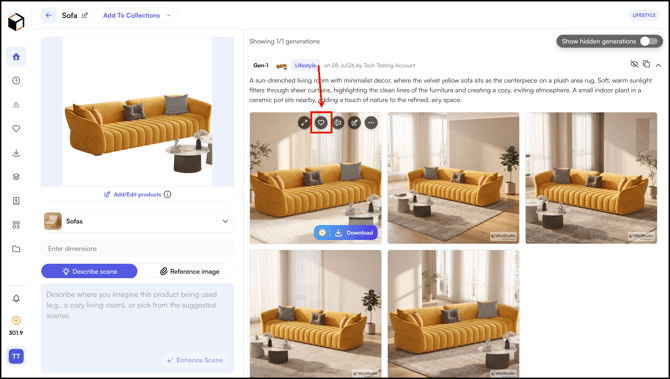
- One a generated image and click the heart Icon to add it to your Favorites.
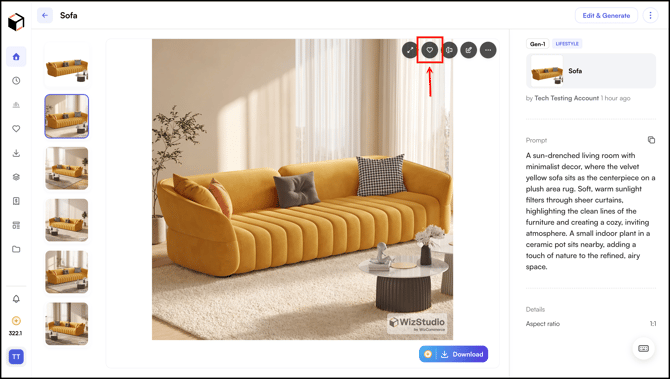
-
Your saved images are always accessible from the Favorites section in the left sidebar.
» Save as Theme
- You can also save the generated images as theme.
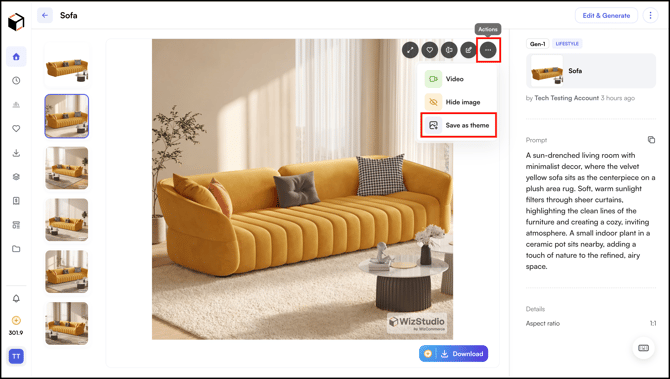
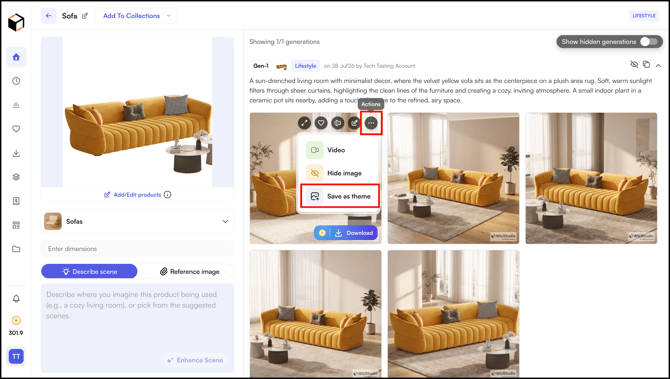
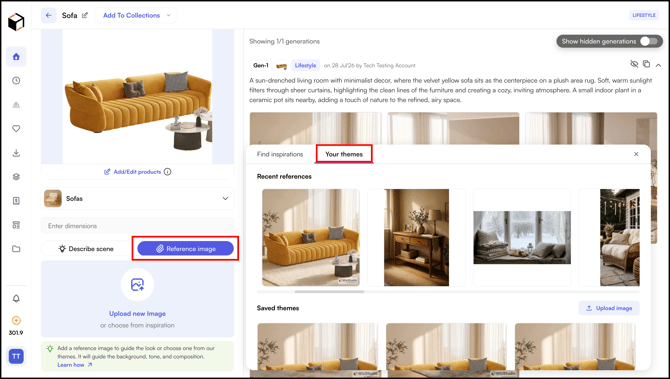
- You can use it from the Reference Images section.
- Go to Reference Image → Your Themes.
» Related Article:
- Generate Lifestyle Images
- Generate Lifestyle Images with Multiple Products
- Edit a Generated Image
- Turn a Lifestyle Image into a Video
- FAQs
Still need help? Reach out to our support team at help@wizcommerce.com.